
Solution-IV Order Processing with Point of Sale is designed to help you control the flow of customer orders throughout your organization. A vast wealth of information is directly accessible while entering an order on-line to assist your telemarketers and order entry personnel in accurately recording your customer’s order. Once entered, the order is tracked through the picking, packing, and invoicing processes. Direct sales invoices may also be processed. Sales analysis reports show you sales and profitability trends by item, customer, state, as well as up to four different user-defined class codes.
Features
Parameterized
The Order Processing system parameters allow you to customize the Order Processing package to your particular needs without having to make program changes. The parameters include such things as whether or not to post to General Ledger, whether or not to allow negative on-hand quantities, and whether or not you use pre-printed forms.
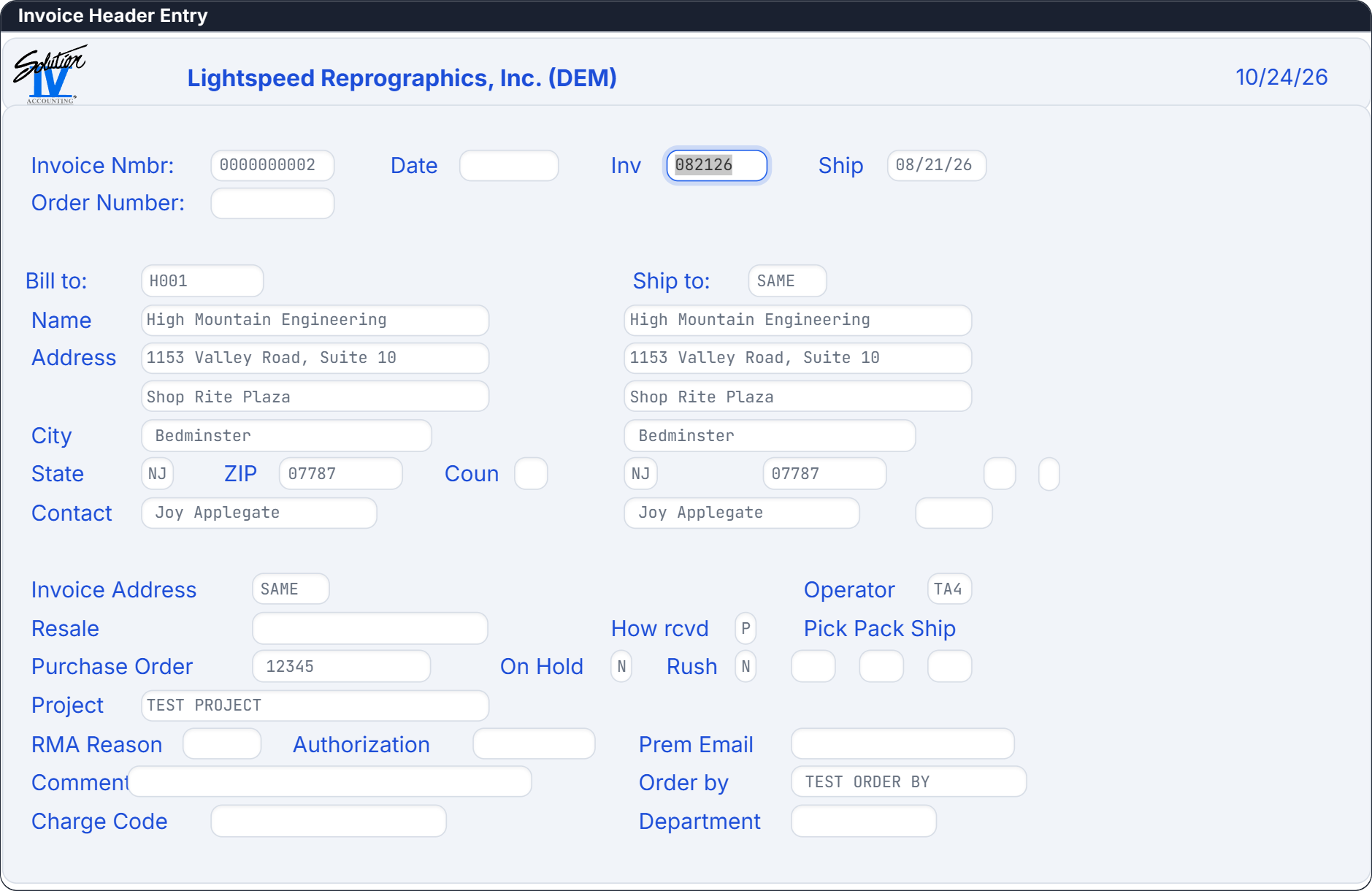
Order & Invoice Entry
Solution-IV Order Processing supports both single-step invoice entry as well as two-step order entry and subsequent invoicing.
Quotes
Quotes for inventory items as well as non-stock items may be entered, printed, and retained, then later converted into “live” orders.
RMAs
Return Material Authorizations (RMAs) may be entered for customers returning goods to you. Similar to orders, RMAs may be credited when the goods are actually received back from your customer.
Debit & Credit Memos
You may process both debit and credit memos for miscellaneous charges and credits with Solution-IV Order Processing.
Deposits
A required deposit amount may be specified when entering your order. The order may not be processed until the deposit has been received.
Hold Orders
An order may be entered into the system and placed on hold. This prohibits processing the order until the hold is released.
C.O.D. Orders
Orders may be specified as Collect on Delivery and Cash Only C.O.D. UPS C.O.D. tags may be printed for these orders.
Multiple Warehouses
An order may be entered and designated as shipping from multiple warehouses on a line-by-line basis. A picking ticket and packing list will be printed for each warehouse.
Packing Lists
You may enter quantities shipped either as the order is picked or during invoice entry. If entered during the picking process, you may print a separate computer generated packing list showing quantities shipped.
Truck Routes
Truck routes may be set up for each customer. Picking tickets, as well as packing lists may be printed by truck route code.
Split Commissions
The commission available on an order may be split among up to three different sales representatives. The standard commission method for the sales reps may be overridden by product line or item. Commissions may be calculated using the gross profit on the item, a flat amount, or by adding an additional amount to the standard commission for each item. The commission percentage may be overridden on a line-by-line basis in order entry.
Point of Sale
Various points of purchase payment options may be user defined. The standard options normally used are cash, check, charge (Visa, Mastercard, Amex, etc.) and on-account, but these are completely defined by you. A payment journal is automatically produced as part of the end of day Sales Journal and the payments are automatically posted to Cash Receipts, thus eliminating the need to “double enter” cash receipts.
Sales vs Pricing Units of Measure
You may have both a sales quantity unit of measure and pricing unit of measure for each item on your order. For example, 2 each, 10 pound bags at 1.39 per pound.
On-line Stock Checks and Commitments
Inventory stock levels are automatically checked during order entry and stock is committed as the order is entered.
Inquiry Options
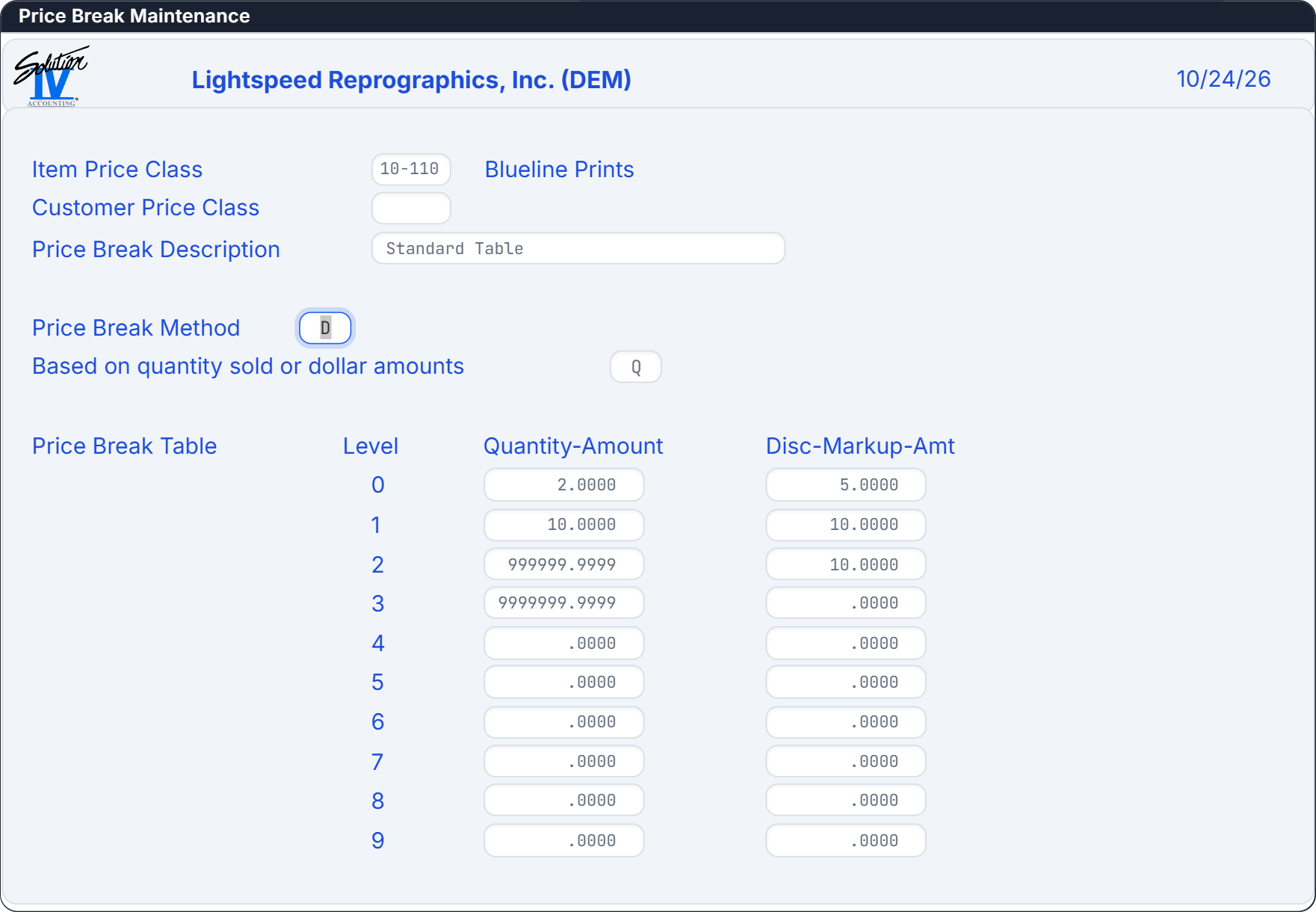
A wealth of information is immediately available while entering the order. This includes customer balance due, customer aging and open invoice display, customer/item quantity and price history for this item, alternate item availability, quantity discount breaks for the item, and stock levels in other warehouses for this item.
Non-Stock Items
Non-stock items may be entered “on the fly” while you are entering your order. You specify the starting character, such as an ‘/’ for your non-stock item codes.
Sales Analysis
All sales detail information is retained in Solution-IV Order Processing. Sales analysis reports are provided which show sales, cost of sales, gross profit, and quantities by item, customer, sales representative, state, item/customer, customer/item, as well as two flexible Accounts Receivable class codes and four flexible Inventory Control class codes.
Price Messages
Priced messages may be defined for such items as service charges, set up fees, and other fixed price services for which you bill.
Comments
Comment only lines may also appear on your order. You may use these for standard messages such as “Thank you for your business!”
Kits
When a “kit” or component list type item is ordered, the kit item or the entire component list of the kit may be shown on the order.
Estimated Ship Dates
Based on the items in the order and the production days for each item, an estimated ship date will be calculated. You may enter a date promised to the customer as well.
Drop Ships
Items may be designated as “drop shipped” showing they will be shipped directly from the manufacturer to the customer.
Commissionable
Items may be designated as subject to commission or non-commissionable, on an item-by-item basis. This may be overridden on a line-by-line basis during order entry.
Discountable
Items may be designated as subject to discount. This may be overridden on a line-by-line basis during order entry.
Item Internal Comments
An unlimited number of internal comments may be entered for any item. The internal comments are displayed for the data entry operator to see when the item is ordered. The comments might be used as a reminder to order additional products which are sold with the item being ordered.
Credit Checking
Credit Checking may be done during Order Entry. Credit checks may be based on balance due, or oldest invoice and past due balance.
Multiple Addresses
You may use one address for the customer’s ship-to, bill-to (statement), and invoice-to address, or you may set up different addresses for all three.
Contract Pricing
Customer contacts may be defined by customer, item, or customer and item combination allowing special pricing for a specific contract quantity of an inventory item.
Ship Complete
An order may be designated as “ship complete” to indicate that partial shipments are not acceptable for this order.
Lost Sale Tracking
Sales lost as a result of a stock-out condition may be tracked and reported in terms of month-to-date and year-to-date sales amounts.
Reports
Orders, Quotes and RMAs
Orders, Quotes and RMAs may be printed using plain paper, “logo” paper, or pre-printed forms.
Picking Tickets
Picking Tickets may be used by warehouse personnel to “pick” the ordered items from the warehouse shelves. If the order has been designated as shipping from multiple warehouses, a picking ticket will be printed for each warehouse. Picking tickets may be generated immediately during Order Entry, on a special printer in the warehouse, if desired.
Shipping Labels
Shipping labels may be printed for all orders which have been picked and are ready to ship. A shipping label will be printed for each carton.
C.O.D. Tags
A Collect on Delivery (COD) tag may be printed for all COD orders, if desired.
Packing Lists
You may optionally print separate packing lists showing the quantity ordered, quantity shipped, and the quantity being backordered. You may choose to use a copy of the order form for the packing list instead.
Invoices
Invoices may be printed charging for items that have actually been shipped to your customers. These may be direct (one-step) invoices or invoices which were generated from orders. Invoices may be printed on plain or “logo” paper, or fully pre-printed forms.
Sales Journal
The Sales Journal is an important part of your audit trail consisting of the following reports:
- Daily Sales Journal
- Profit and Commission Journal
- Sales by Item Summary
- Sales Tax Code Summary
- Consignment Summary
- General Ledger Account Summary
Credit Exception Report
This report shows all instances where the credit limit was overridden during Order Entry. It shows the customer’s balance, credit limit, the amount the credit limit was exceeded by at the time of the order, the total order amount, and the operator who made the override.
Lost Sales Report
This report shows all instances of lost sales which occurred due to insufficient on-hand quantities for any item.
Open Deposit Report
This report shows all orders with deposits pending as well as orders on which the deposit has been received but the order is still pending.
Automatic Backorder Release
The Automatic Backorder Release report shows all backorders which may now be shipped because stock has been received, the entire order is now complete, or other factors that have been fulfilled.
Monthly Sales Journal
The Monthly Sales Journal is a series of reports similar to the Daily Sales Journal detailing all the invoices updated during the time period selected.
Order Status Report by Customer
This report shows the status of all open orders on a customer-by-customer basis.
Order Status Report by Item
This report shows the status of all open orders on an item-by-item basis.
Customer Sales Analysis
This report prints a 12 month sales analysis summary, by customer, showing sales, cost of sales, units sold, gross profit, and the profit percentage. It provides a way of looking at your customer base in terms of sales and gross profit by customer.
Item Sales Analysis
This report prints a 12 month sales analysis summary, by item, showing sales, cost of sales, units sold, gross profit, and the profit percentage. It provides a way of looking at your inventory in terms of sales and gross profit by item.
Other Sales Analysis Reports
There are eleven other reports, similar to the Item Sales Analysis report except they are printed by product line, class code, sales representative, state, item within customer, and customer within item.