
What it is
Web OpenWorkshop is a browser client for Thoroughbred Basic and OPENworkshop applications. Your application runs on the host exactly as it does today. Web OpenWorkshop draws its windows as modern web pages, and keeps a full character terminal underneath for programs that don’t have a graphical interface.
It isn’t only for developers. All the regular Solution-IV products run in Web OpenWorkshop, so anyone who uses Solution-IV can do their work from a browser.
Who it’s for
- Solution-IV users who want to work from any PC, Mac or tablet without installing a client
- OPENworkshop developers and resellers who want to give their customers a browser option alongside the VIP Windows client
- IT teams that want to roll out to every user without touching a workstation
- Users on Mac, Chromebook or tablet, where the Windows client doesn’t run
Key benefits
Nothing to install
Your code, unchanged
A modern look your users choose
Reports to PDF or printer
Custom screens in the browser
Secure, and your data stays home
See it in action
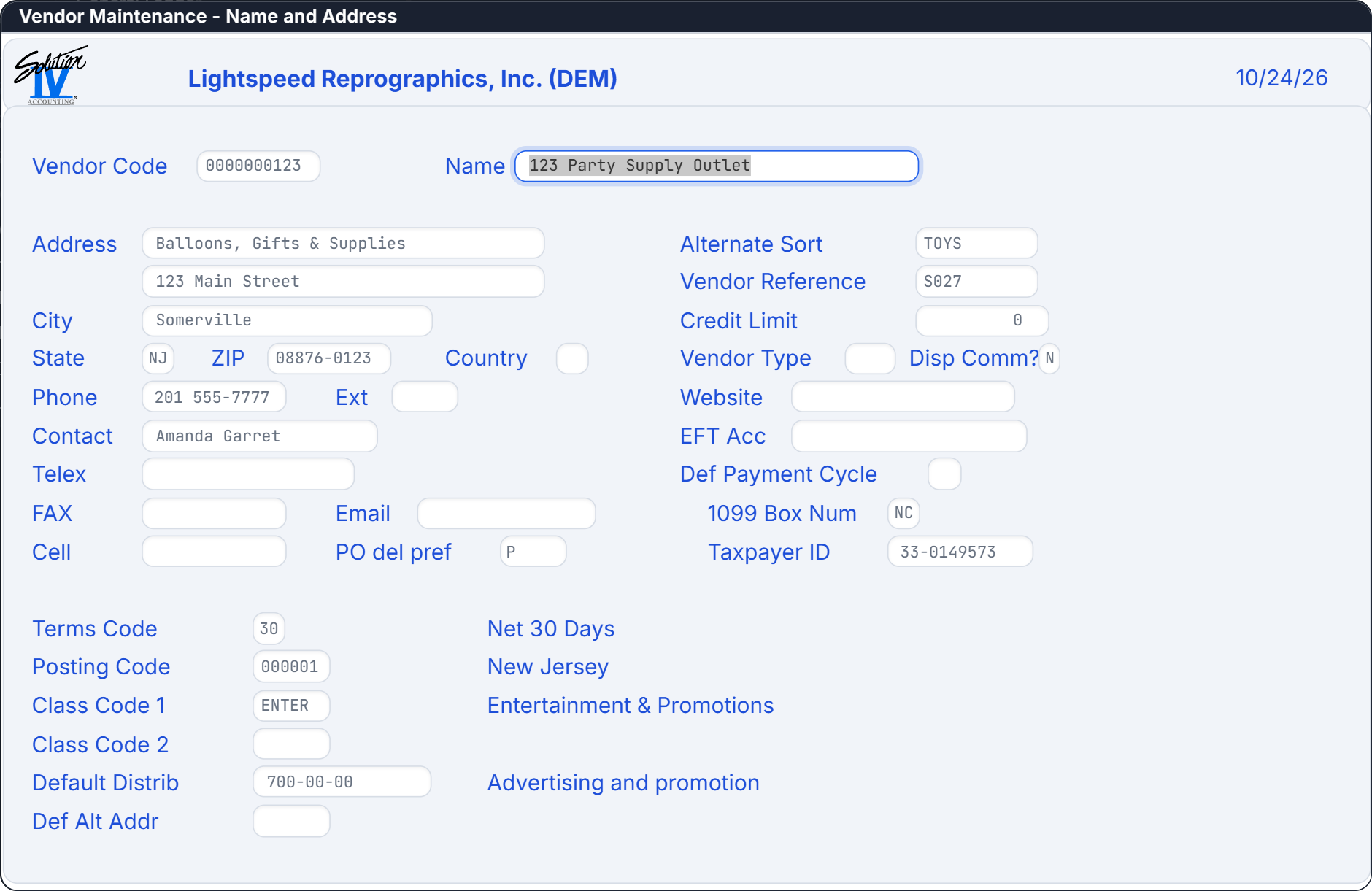
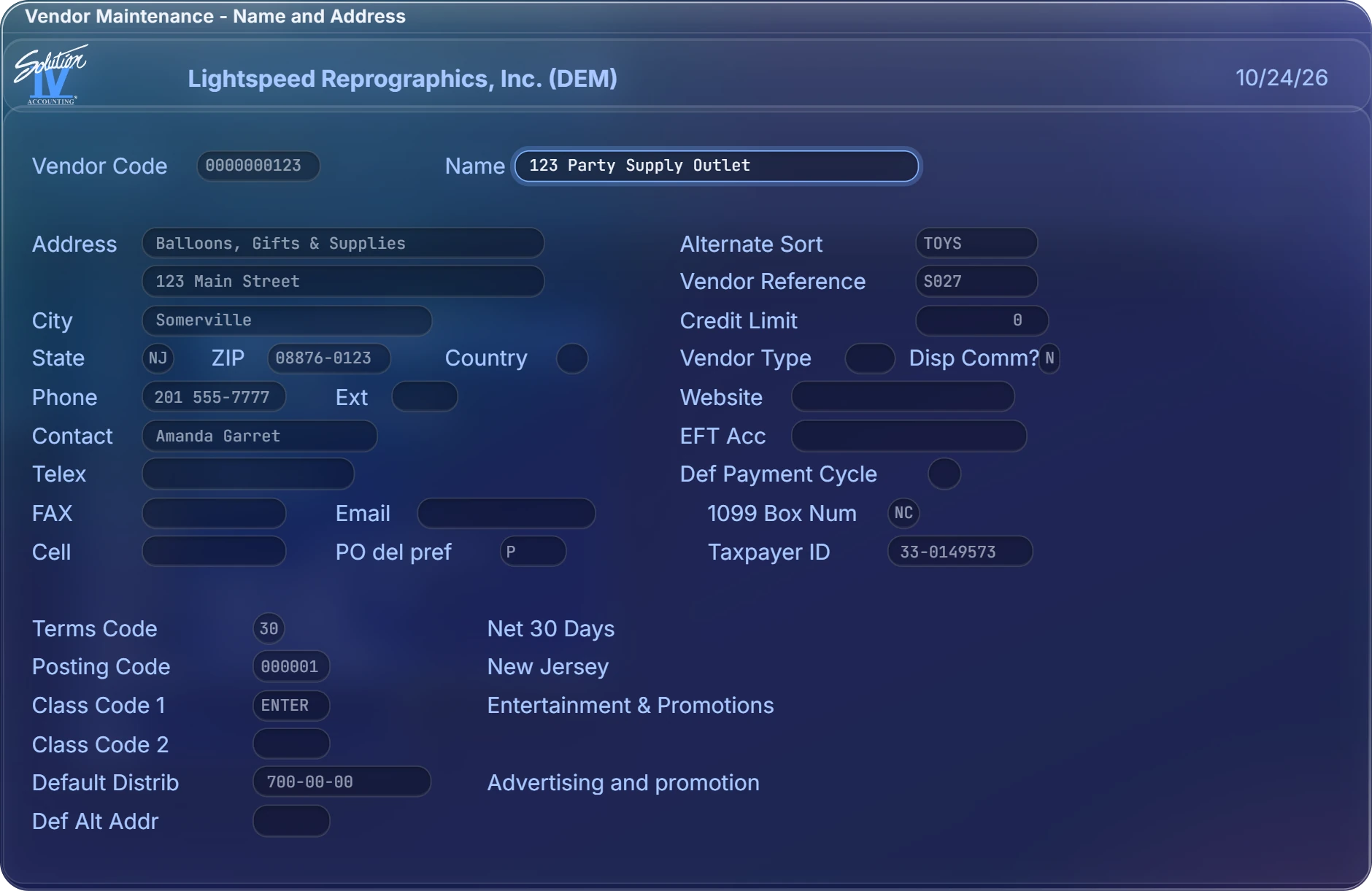
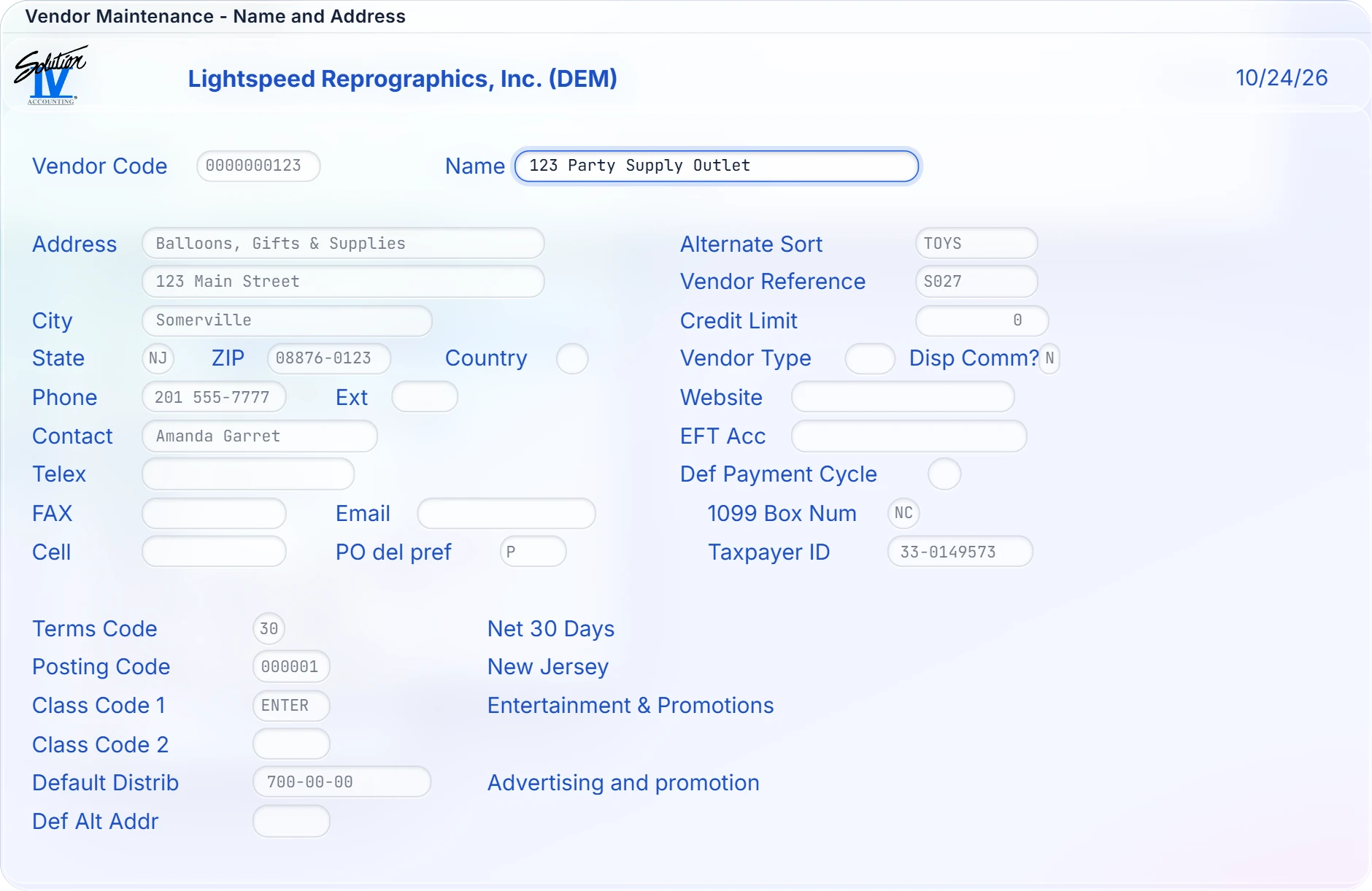
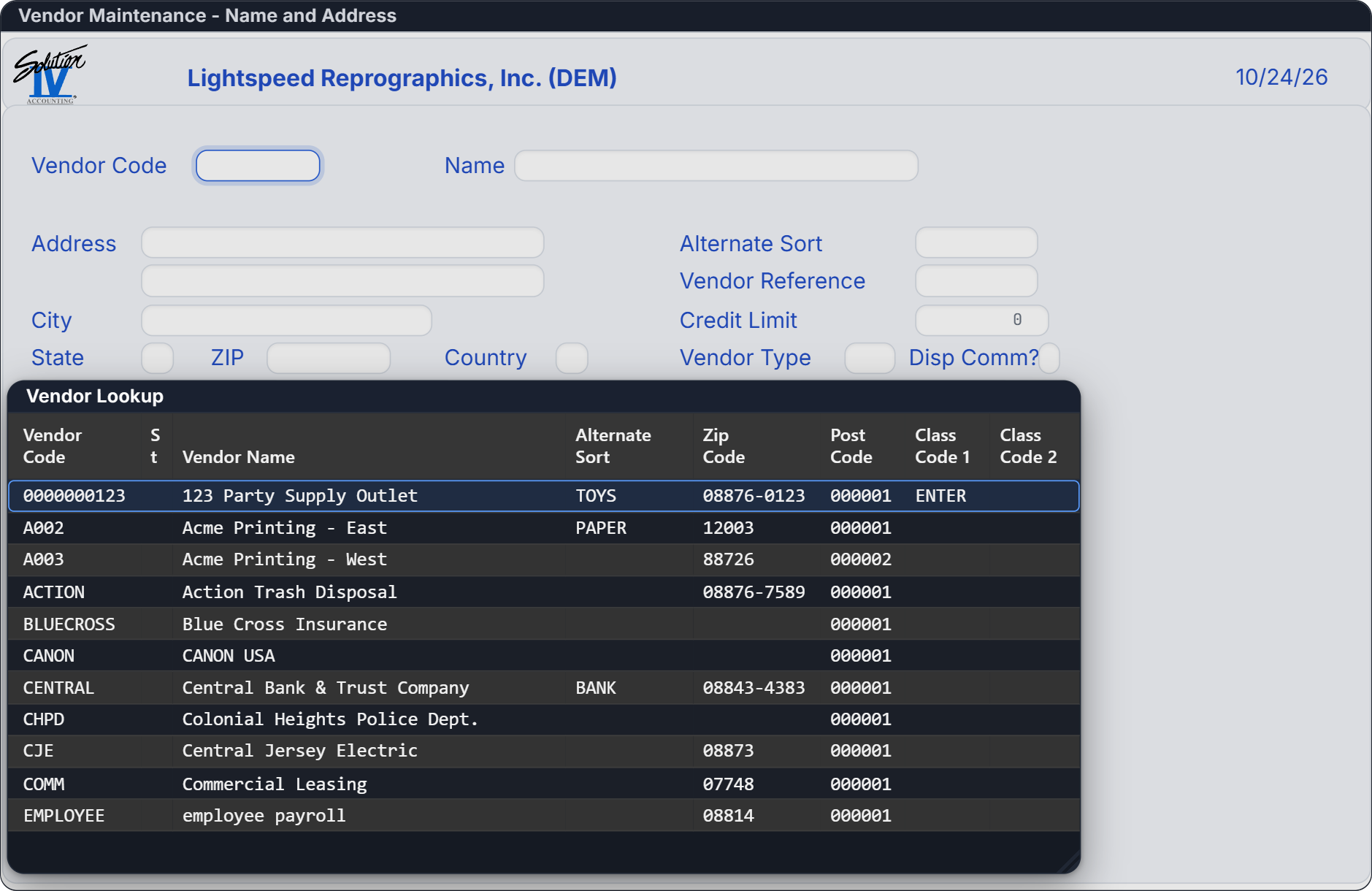
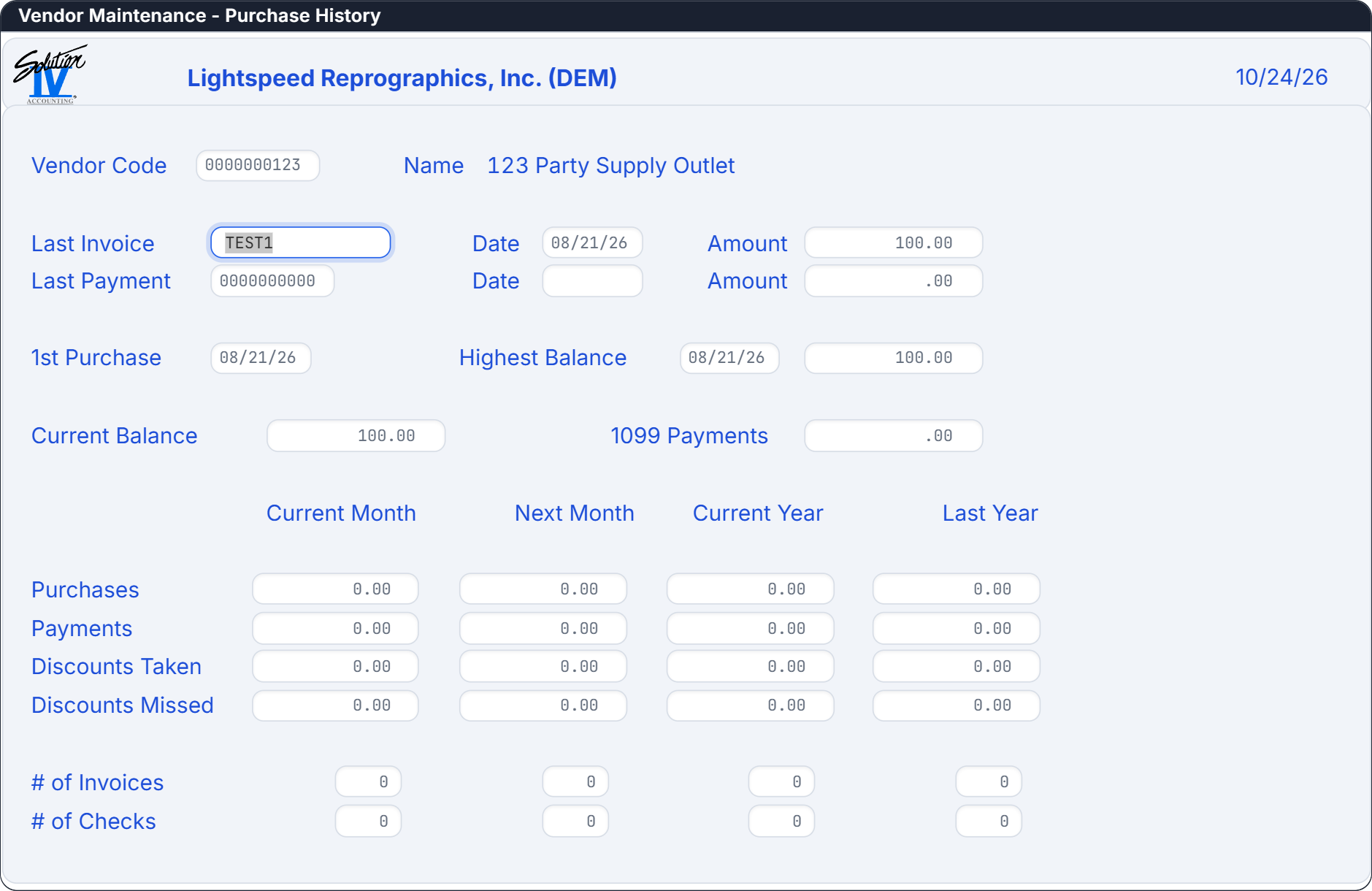
These are Solution-IV screens running in Web OpenWorkshop. Select a picture to see it full size.
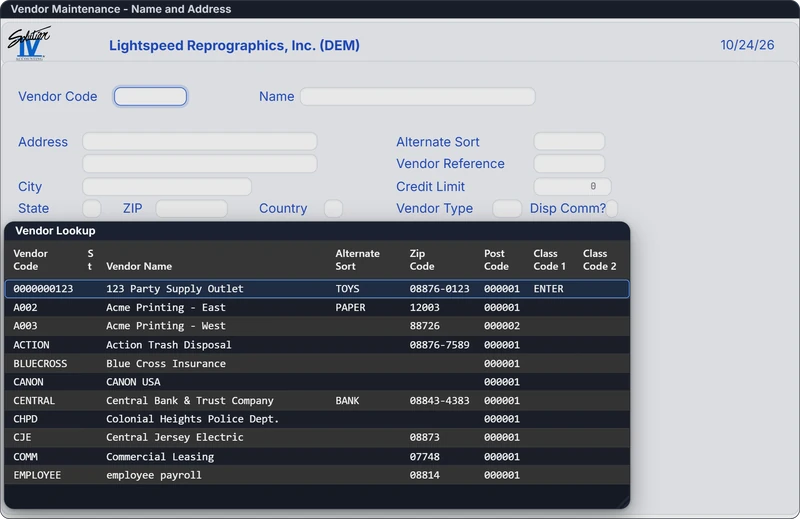
A vendor lookup opens as a grid over the screen you're working in. 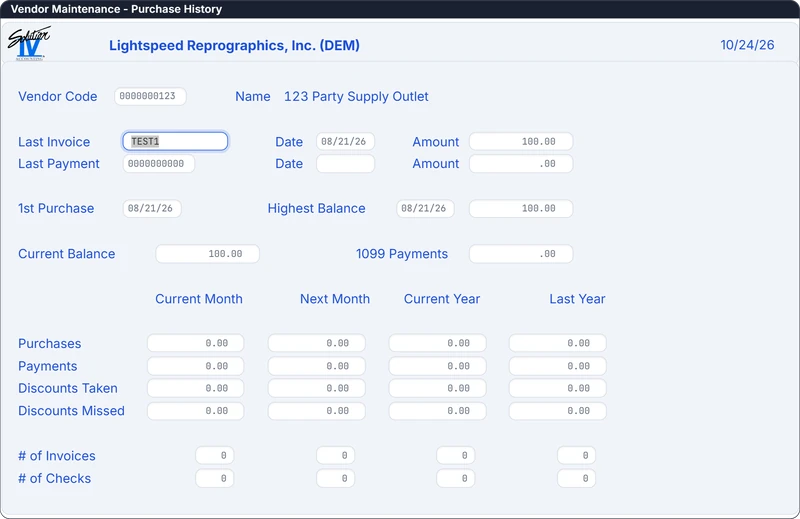
Vendor purchase history, with balances and monthly and yearly totals. 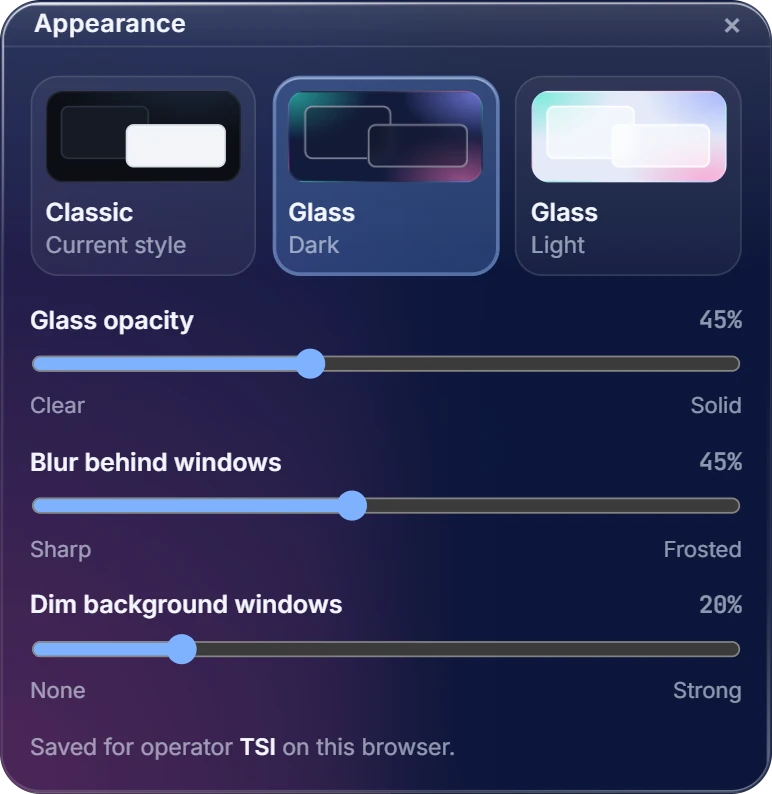
Each user picks Classic, Glass dark or Glass light, and sets the glass opacity, the blur and how much background windows dim. The choice is saved for that operator in that browser.
How it works
Your users' browsers
Chrome, Edge, Firefox or Safari on Windows, Mac and tablets
- Application windows and formsYour screens, views, menus and messages, drawn in a modern web look
- Reports to PDF or printerHost reports open as PDF to save, email or print at the workstation
- Character terminalPrograms without a graphical interface run in a full terminal, in the same window
Your host server
Linux or UNIX, on your network or in the cloud
- Secure terminal gatewayEach user signs in with their own host credentials
- Thoroughbred BasicThe Basic environment you run today, unchanged
- Dictionary-IV and OPENworkshopThe screen, menu, view, message and report definitions the browser draws
- Your applicationsSolution-IV and your own OPENworkshop applications, with nothing converted
One address · Nothing to install on user devices · Your data stays on your host
- Your users open one address and sign in. The browser connects to your host over a secure, TLS-encrypted WebSocket.
- The host runs your application unchanged, on the same Thoroughbred Basic and OPENworkshop it uses today.
- Web OpenWorkshop draws each screen, view, menu and message as it arrives, and sends keystrokes and clicks back to the host.
For developers
- What’s covered: Dictionary-IV screens, including layouts customized on the host; views and grids; list and matrix menus; message boxes and valid-value lists; text and help windows; busy windows; and reports.
- Character mode: programs without a graphical interface run in a full character terminal in the same browser window.
- Custom screens: the built-in screen designer opens a Dictionary-IV screen in the browser and saves the layout back to the host, so every user gets it.
- On the server: a Linux or UNIX host with OPENworkshop 8.9.1, running Thoroughbred Basic and your OPENworkshop or Dictionary-IV application. Web OpenWorkshop’s secure terminal gateway runs alongside it.
- Browsers: current versions of Chrome, Edge, Firefox and Safari.
- Technical documentation: ask our sales team for the Web OpenWorkshop technical documentation.
Availability and pricing
Web OpenWorkshop is available December 1, 2026. It requires OPENworkshop release 8.9.1 on your host.
Contact sales for pricing. Email sales@tbred.com or call (800) 524-0430, and we’ll go over licensing for your site and set up a demo on your own application.
Frequently asked questions
Do I have to change my application?
No. Your application runs on the host exactly as it does today. Web OpenWorkshop draws the same Dictionary-IV screens, views, menus and messages your users already know.
Does Solution-IV run in Web OpenWorkshop?
Yes. All the regular Solution-IV products run in Web OpenWorkshop, with the same screens and the same data.
When is it available, and what do I need?
Web OpenWorkshop is available December 1, 2026. It requires OPENworkshop release 8.9.1 on your Linux or UNIX host, and a current version of Chrome, Edge, Firefox or Safari on each user’s device.
How does it relate to VIP and TbredComm?
Web OpenWorkshop shows the same Dictionary-IV screens, views and menus as VIP for Dictionary-IV, in a browser instead of a Windows client. Because your application doesn’t change, browser users and VIP users can work side by side. Contact sales to plan the move for your site.
Can it run on our own server, or hosted?
It runs on your own Linux or UNIX server, on your network or in the cloud. Ask us about running it in Thoroughbred’s cloud hosting.
Which browsers does it support?
Current versions of Chrome, Edge, Firefox and Safari, on Windows, Mac, Linux and tablets.
Do our custom screen layouts carry over?
Yes. Screen layouts customized on the host display as designed, and the built-in screen designer edits them in the browser and saves them back to the host.