

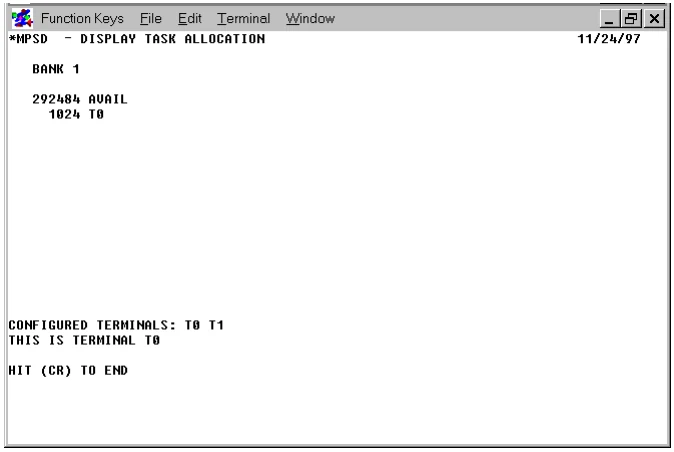
*MPSD - Display Task Allocation
Purpose
This utility program displays the:
- Tasks running in each bank (including ghost tasks).
- The ADDR’d public programs in memory.
- The number of bytes available in each memory bank.
Procedure
To run this utility from Thoroughbred Basic Console Mode, type:
RUN “*MPSD” and press Enter.
To select this utility from the Thoroughbred Basic Utilities Menu, type one of the following:
M and press Enter.
*M and press Enter
*MPSD and press Enter
Menu option # and press Enter
A screen similar to the following is displayed:
Press Enter to end the display of the task allocation. The system returns to the
Thoroughbred Basic Utilities Menu.
From the Thoroughbred Basic Utilities, version 8.9.1. Open this page in the PDF