

Audit File Information
This utility displays or prints an Audit File Report and allows you to clear or delete the audit file.
Audits are defined in the Format (Audit attribute) and activated in the Link (Audit Indicator). For more information see the Formats and Links section of the Dictionary-IV Developer Guide.
Dictionary-IV provides a default audit file named IDAUDT. You may use this file or create your own.
Audit Report is a protected utility. If security is active, access to this utility is given only to those with knowledge of the system password.
Select Audit File Information from the Thoroughbred Dictionary-IV Utilities Menu. The system displays the following:
Audit File Information Options
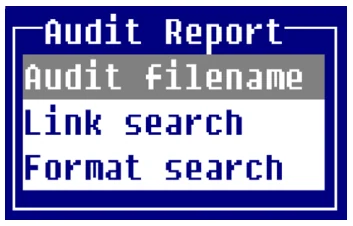
Audit Filename - Printing the Audit File
Section titled “Audit Filename - Printing the Audit File”If you already know the name of the audit file select Audit filename. The system prompts:
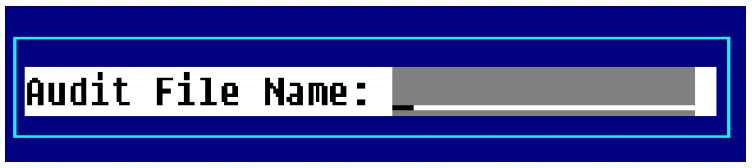
Type the name of the audit file and press Enter. The name may be from 3 to 8 characters in length. The system prompts:
Do you want a printed copy?
Select one of the following:
Y Prompts for the printer name and prints the report.
N Displays the report on the terminal.
The system displays a report similar to the following:
Audit Report - Sample
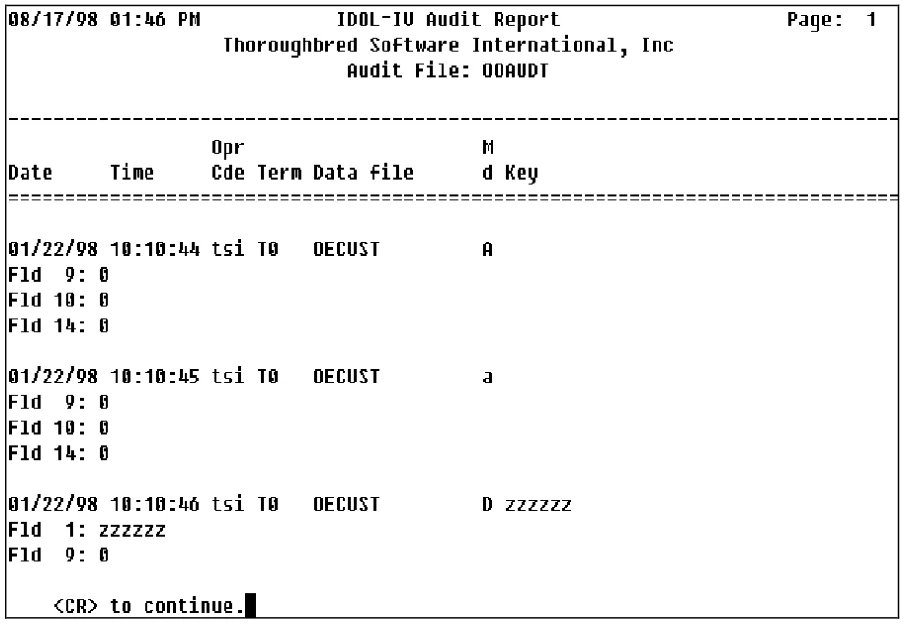
After the report is completed the system then displays the Clear File Options:
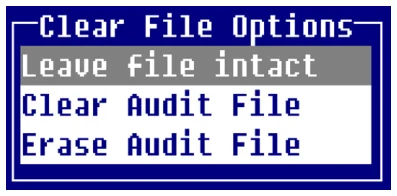
Select one of the following:
Leave file intact
Exits the report and leaves the audit file intact.
Clear Audit File
Clears the data from the file but retains the audit file.
Erase Audit File
Deletes the audit file.
Link/Format Search
Section titled “Link/Format Search”If you do not know the name of the audit file, select Link search or Format search. Select one of these options and the system displays:
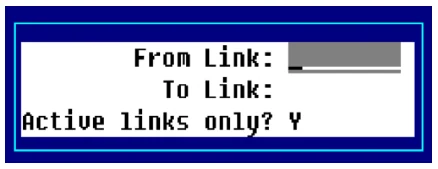

Press F2 from the above windows to display the Link or Format view.
Enter the following information:
From Type the name of the first link (format) in the range and press Enter. The name may be from 3 to 8 characters in length.
To Type the name of the last link (format) in the range and press Enter. The name may be from 3 to 8 characters in length.
If you select Link search you must answer a final prompt:
Y Processes links only when the audit indicator is set to “Y” or “A”.
N Processes all links in the specified range.
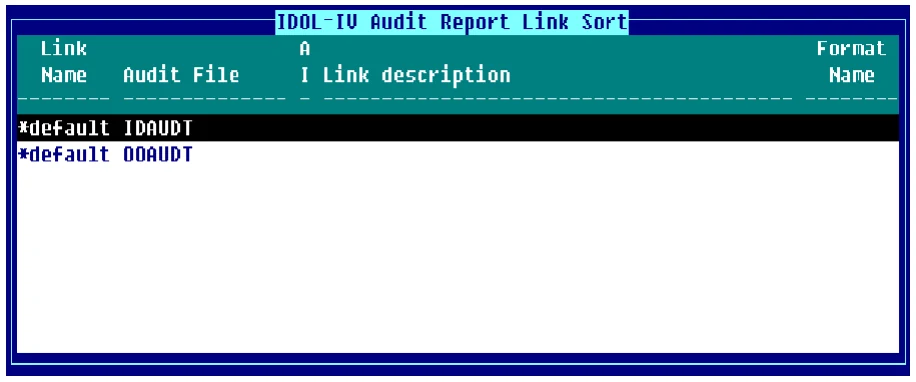
The system displays a window similar to the following:
Audit File Information - Display Links
Audit File Format
Section titled “Audit File Format”This section provides information on the format of the audit file that can be used if you want to write a custom audit report.
There are two types of audit files:
Indexed files created by audits in single record maintenance and multi-record maintenance.
Text files created by audits in connect screen and connect view.
Indexed File Format The audit file is an index file with a physical record size of 32. Since the audit data may exceed 32 bytes, each logical audit record may be contained in more than one physical record. The first part of the logical record contains the audit record information in a fixed format as follows:
| Bytes | Description |
|---|---|
| 1 to 2 | Length of Logical Audit |
| 3 to 8 | Date (YYMMDD) |
| 9 to 14 | Time (HHMMSS) |
| 15 to 22 | Link/Data File Name |
| 23 | Maintenance Mode (A, C, D) |
| 24 to 26 | Operator Code |
| 27 to 30 | Terminal ID |
| 31 | Length of Key Data (binary) |
| 32 to x | Key of Audited Record |
The remainder of the logical record contains all the audit data for the record. The total length of this data varies depending upon the length of the data in each audited field and the number of audit fields in the record. The format of the audit data for each audit field in the record is as follows (where x is the last byte of the last value in the table above):
| Bytes | Description | |
|---|---|---|
| x + 1 | Element Number (binary) | |
| x + 2 | Length of Element Data (binary) | |
| x + 3 to y | Element Data Added, Deleted, or Before/After Change |
In the case of a change, both the before and after values are recorded. The end of the logical record is indicated by an element number of zero. The file must be read using the Basic READ RECORD directive.
Text File Format:
The audit file is a text file. The format of the audit file is:
| File Header: | |||
|---|---|---|---|
| Start | Length | Field | |
| 1 | 4 | Next byte address (binary) | |
| 5 | n | Audit records (see below) |
| Audit Record: | ||||
|---|---|---|---|---|
| Start | Length | Field | ||
| 1 | 2 | Audit record length (binary) [rsz] | ||
| 3 | 6 | Date (YYMMDD) | ||
| 9 | 6 | Time (HHMMSS) | ||
| 15 | 1 | Maintenance mode (A,C,D) | ||
| 16 | 3 | Operator code | ||
| 19 | 2 | Terminal ID | ||
| 21 | 8 | Format name | ||
| 29 | 1 | Length of data file name (binary) [fn] | ||
| 30 | fn | Data file name | ||
| 30+fn | rsz-30- | Audit data | ||
| fn |
The format of the audit data file is:
Where: K=Length of key data (binary)
A=Element number (binary)
B=Length of element data (binary)
If B is zero (0) the following 2 bytes contain the data’s occurrence number followed by the length of the
element’s data (binary)
$00$=Occurrence Flag
OO=Occurrence value (binary)
B=Element number (binary)
The key data field will contain the key of the record that is added, changed or deleted. The element data field, in the case of add or delete contains the contents of the audited fields. In the case of change, the data field contains the data element before and after it was changed.
The Dictionary-IV audit file report automatically merges audit file types into a work file. The Report-IV definition “IDAUDIT” produces the audit report from this work file.
From the Dictionary-IV Administrator Guide, version 8.9.1. Open this page in the PDF