

Communicating Between Classes
The CONNECT Directive
The CONNECT directive is the most important directive in OPENworkshop. It allows “connections” to be made from one Object or Class to another. Views, Screens, Menus, Help, Reports and Queries can be connected directly between themselves.
The power and flexibility of OPENworkshop is greatly enhanced by allowing intervening Methods to modify the behavior of the Classes and the behavior of the connections between them.
The CONNECT directive is the framework that links OPENworkshop Classes and Methods together. It not only invokes the required Object, it is also the vehicle for passing messages to the invoked Object.
Developers can CONNECT from a View, Screen, Menu, or Method to any of the OPENworkshop Classes or Methods. You can use CONNECT within a Class. For example, a View can use CONNECT to initiate another View, or even to create a second instance of the same View.
Messages carried by the CONNECT directive are used to pass information to the invoked Class or Method. They can be used to communicate information about the Object that the target should work on, or modify the behavior of the target.
CONNECT directives are simple in concept, uncomplicated to define, but extremely powerful in execution.
CONNECT from a View or Screen
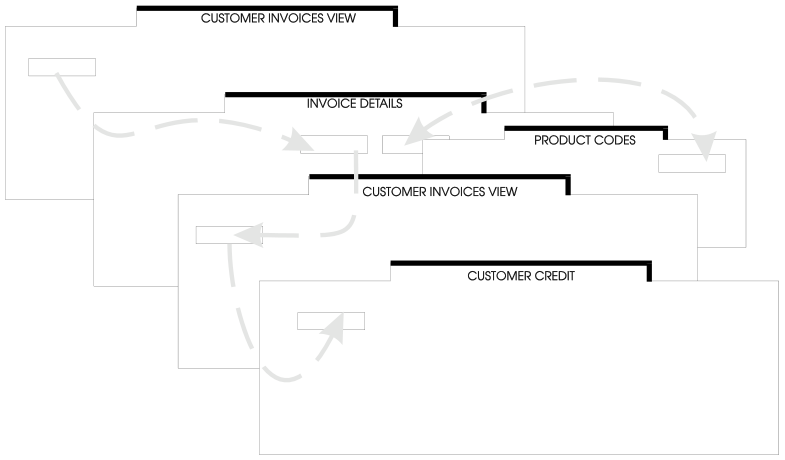
For a View or a Screen, CONNECT directives are placed in the Data-name Pre- and Post-Processing definitions in the associated Dictionary-IV Format. A Pre-Process is executed whenever the Cursor is positioned on the Data-name in a View or a Screen. A Post-Process is executed when a user has completed editing a Data-name.
Note that these CONNECT definitions are associated with a Data-name. In other words, having been specified once, they are in effect wherever the Data-name is used, possibly in many Views and Screens throughout the application. One definition is all you need to create and maintain. What is more, you can guarantee the behavior of the system is consistent for the user, wherever that Data-name is displayed.
CONNECT to a View
The CONNECT directive allows you to define which rows should be placed in the View, and in which order to sort them.
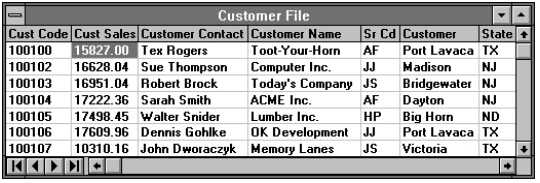
Rows in a View can be Selected and Sorted.
Note: From the F5 Sort Window you can press F2 on any highlighted sort and the order of that sort will be reversed. Reversing the order of the selected sort will retain the range values properly. VIEW$[30] set to an “R” will cause the view to be presented in reverse order from the selected sort.
The general structure of the CONNECT VIEW directive simple to use and understand, as is shown in the following syntax:
CONNECT VIEW "View-name"[USING Data-name or Expression]| [USING RANGE FROM Data-name or Expression; TO Data-name or Expression;] | [SELECT WHEN Expression;][SORT BY n]From the OPENworkshop Reference, version 8.9.1. Open this page in the PDF