

Language Code Parameters
This option allows you to enable and disable language codes for the system.

Select Language Code Parameters from the System Administration options. The system displays the following:
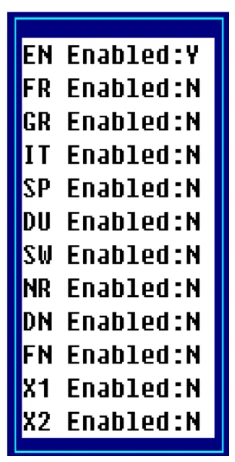
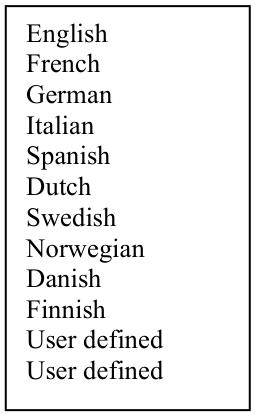
Select the language code you wish to enable and type Y. Select the language code you wish to disable and type N.
Press F4 and the system prompts:
Is the displayed information correct?
Y To save the changes.
N To correct the entries.
F4 To exit.
For more information see the Multi-Language section in this document.
From the Dictionary-IV Administrator Guide, version 8.9.1. Open this page in the PDF