

System Security
The Dictionary-IV security system was designed to be a logical layer of security that exists on top of an operating systems security, specifically UNIX. However, accommodations have been made to allow Dictionary-IV’s logical security layer to function with other operating systems. Following are the primary features:
- Group level access to Menus and selections from Menus.
- Group level access to data file Links.
- Group level access to fields within a data file.
- Drill down views of user id’s and groups that quickly show user’s within group and groups which a user is part.
- Prior versions of security that show the delta from one version to the next.
- Reports showing group to user and user to group association.
- Initialize and regeneration of logical security layer from user id and group files after modifications.
This option allows you to enable and disable certain Dictionary-IV functions.
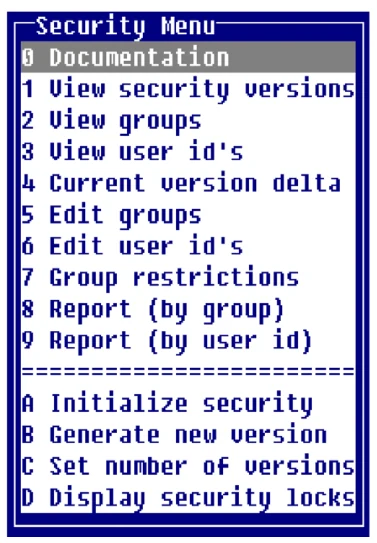
Select System Security from the System Administration options. The system displays the Security Menu:
Creating security tables
Section titled “Creating security tables”After initial installation, Dictionary-IV does not have the security system enabled. To enable security, you must:
- Select option A: Initialize security. This option removes any Dictionary-IV security files.
- Select option B: Generate new version. This option creates a new set of security tables and populates them with data taken from /etc/passwd and /etc/group.
- Select option C: Set number of versions. This option controls the amount of history of changes to the security permissions that is maintained by Dictionary-IV.
- Ensure the system user ID and group files reflect the desired user/group relationships for the installation. Option 5 and 6 (Edit groups and Edit user IDs) can be used to establish desired relationships in the operating system tables. If not, edit user IDs and groups to the required values, then use option B again to create a new security version. Option B can be used as many times as needed to generate new security versions.
Reviewing security permissions
Section titled “Reviewing security permissions”Select option 1 from the security menu to view security versions.
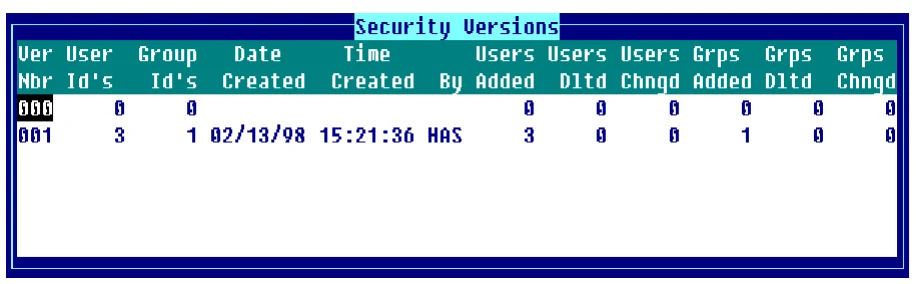
This view allows the administrator to review the changes made between versions, and the current access permissions for groups and the members of those groups.
Group restrictions
Section titled “Group restrictions”Data element name access permissions can be further qualified by using the Group Restrictions option from the security menu.
Displaying security locks
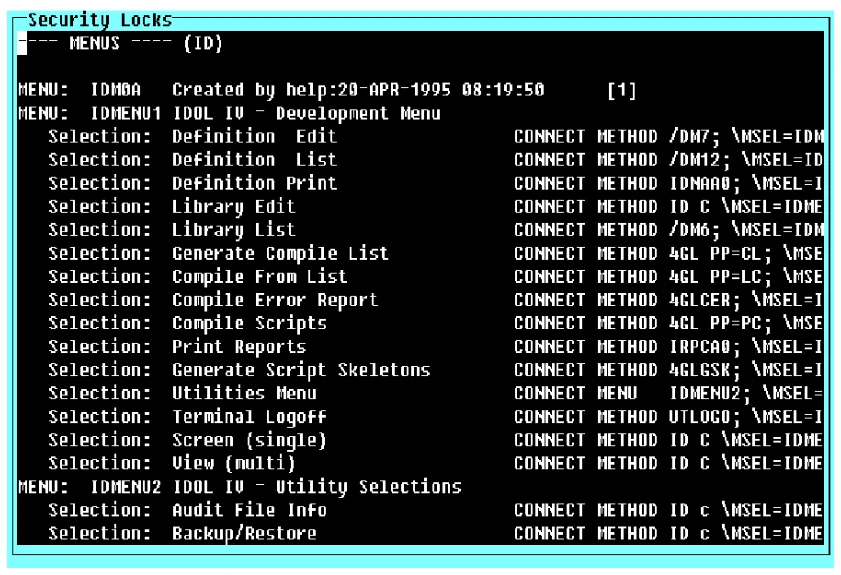
Section titled “Displaying security locks”The security locks that have been defined by the developer for an application can be displayed and reviewed using option D from the security menu. Enter a list of one or more libraries to be reported.
This listing shows all security group statements that have been applied to Menus, Links, and data element names in the selected libraries:
From the Dictionary-IV Administrator Guide, version 8.9.1. Open this page in the PDF