

Convert Screen Graphic Characters
This utility converts the graphics characters of a window screen definition based on the current value of the Portable Graphic Character Base (PGCHARBASE) in the current IPL file.
Select Convert Screen Graphic Characters from the Windows Conversion Utilities Menu. The system prompts:
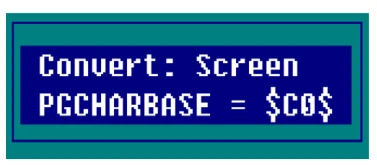

Enter the following information:
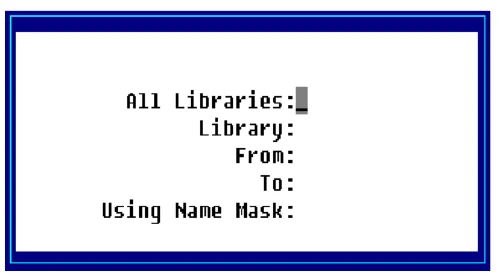
All Libraries
Select one of the following:
Y Convert Screens in all libraries.
N Convert Screens in the selected libraries.
Library
Type the 2 alphanumeric character library name you wish to select. Press F2 for a lookup in this field.
From Type up to 6 alphanumeric characters for the first Screen file in the range of files to be converted. The system defaults to First. Press F2 for a lookup in this field.
To Type up to 6 alphanumeric characters for the last screen file in the range of files to be converted. The system defaults to Last. Press F2 for a lookup in this field.
Using Name Mask Type the name mask you wish to use in selecting the screen files to convert. You may use a ? or @ for non-matching characters. The ? must be placed in the proper search position (AB?08?). The @ designates non-matching characters from the @ to the end of the file name (AB@).
The system defaults to None.
The system prompts:
Selections correct?
Select one of the following:
Y The information is correct, continue with conversion.
N The information is not correct, make corrections or exit.
From the Dictionary-IV Administrator Guide, version 8.9.1. Open this page in the PDF