

Servers
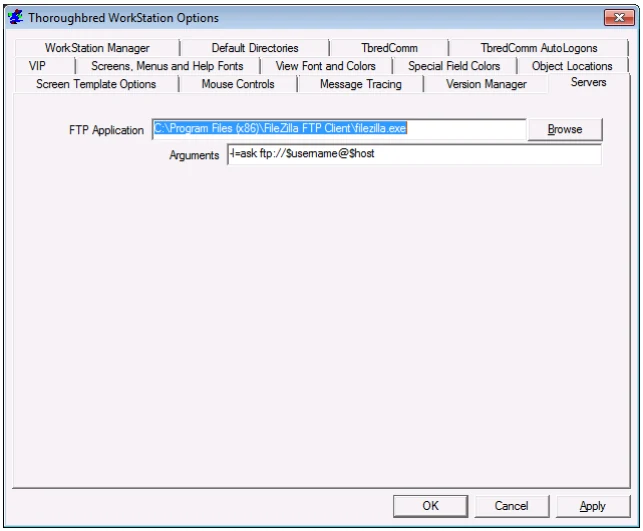
FTP Application Enter the path and file name or click Browse to select the FTP application that is started when the ‘File Transfer’ option is selected from the System menu of TbredComm.
Arguments
Enter command line arguments for the specified FTP application followed by one or
more of the $variables supported by TbredComm.
The above screen capture is an example of supplying arguments when FileZilla is specified as the FTP application. Please refer to your specific FTP application for details.
The following is a list of $variables supported by TbredComm, they are based on the current connection:
- $host
- The name or IP address of the host.
- $username
- The user name/login id.
- $password
- The user name’s password, if Telnet protocol or Password authentication are in use.
- $privatekey
- The file name of the private key, if Public Key authentication is in use.
- $passphrase
- The passphrase for the private key file, if Public Key authentication is in use.
- $localpath
- The local directory name specified on the TbredComm AutoLogon tab for the connection.
- $remotepath
- The remote directory name specified on the TbredComm AutoLogon tab for the connection.
From the WorkStation Manager, version 8.9.1. Open this page in the PDF