

Setup
The Thoroughbred Environment includes the RPSERV printer table. From the System Administration menu select Printer Assignment. For more information see the Dictionary-IV Administrator Guide. Assign any printer device (i.e. RS, LP, P1) to the RPSERV printer table. The recommended printer device is RS. You will then need to modify your IPLINPUT file to include this printer device.
For more information see the Thoroughbred Basic Customization and Tuning Guide.
IPLINPUT for Windows Basic:
DEV RS,4,,,,,,NULorDEV RS,4,,,,,,file-nameWhere file-name is the name of any text file defined in your Thoroughbred Basic Environment for example, basic-install-path\Tbsc\RSText.txt
IPLINPUT for UNIX:
DEV RS,4,,,1,,,/dev/nullFor more help on how to use the TS ReportServer
- Select vip-data-path\Tsi\Bin\Rps.hlp, or
- Select Help and then select Help Index from the TS ReportServer menu bar.
For more information see the Thoroughbred Basic Customization and Tuning Guide.
Creating and Sending Report-IV Output to TS ReportServer
Section titled “Creating and Sending Report-IV Output to TS ReportServer”TS ReportServer is included as a standard output device in the Dictionary-IV printer selection prompt:
When TS ReportServer is selected as the output device, the report will automatically be displayed by the TS ReportServer on the client.
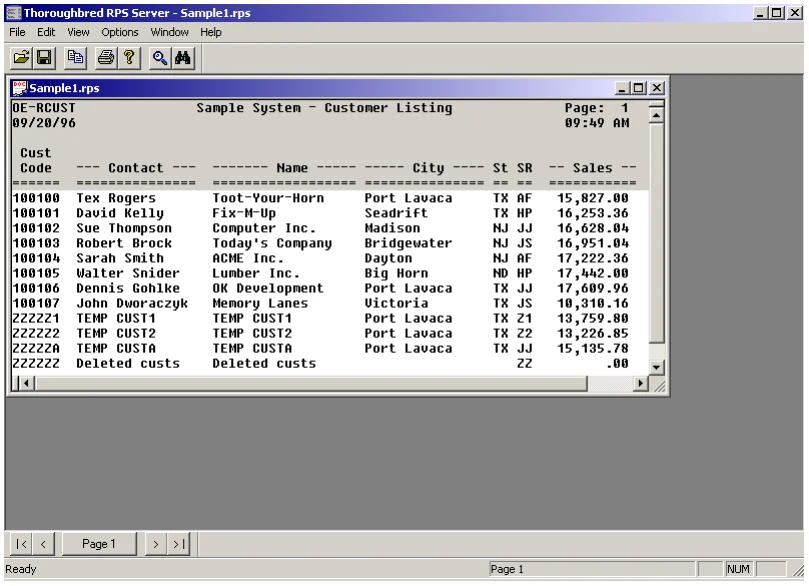
TS ReportServer can display multiple reports. Each report is displayed in a window contained by one common TS ReportServer GUI Server window.
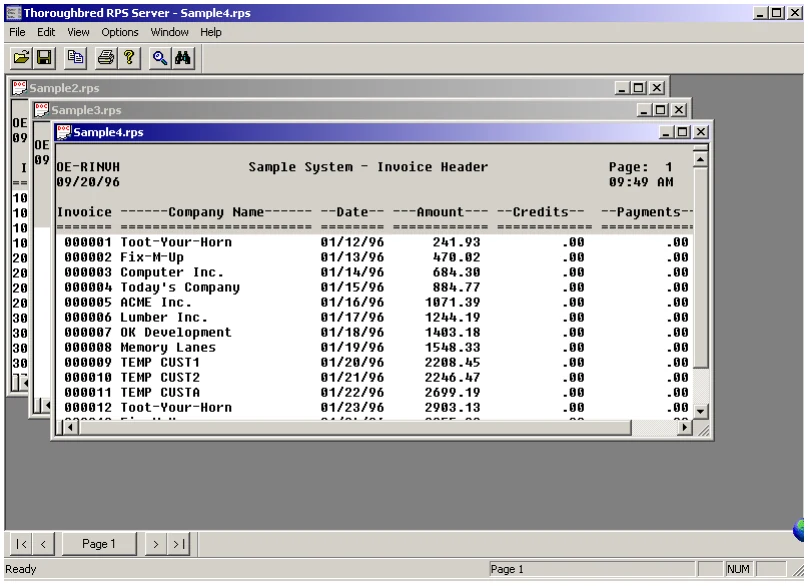
Any report displayed by TS ReportServer can be saved locally on the client. By default, the file is saved in TS ReportServer format (with the .rpt file extension). For more information on saving and opening local report files please see “Save a Report” later in this manual.
An application performing CONNECT REPORT can control the output device by pre-setting the printer id. This allows the application to send the report output to the TS ReportServer without user intervention.
If the TS ReportServer is available, Query-IV sends all terminal output to the TS ReportServer for processing. Your application can duplicate this process. Query-IV uses the following tests to determine if the TS ReportServer is available:
- Is the default output set to the terminal?
-
FID(0)
- Does the Global variable RPSERV exist?
-
CGV("RPSERV")
- Does the Workstation have GUI capabilities?
-
#IDVIP.GUI-ON="Y"
If these tests determine that the TS ReportServer is available set the output device to the Global variable RPSERV.
LET REPORT$[6]=cgv("RPSERV")
CONNECT Report "report-name"
From the TS ReportServer, version 8.9.1. Open this page in the PDF