

Transferring Queries to Report-IV
Creating queries using Thoroughbred Query-IV allows you to easily perform inquiries on part or all of your database. Thoroughbred extends the capabilities of Query-IV by providing a way to convert an existing query into a report definition that can be used in Thoroughbred Report-IV.
Requirements
Section titled “Requirements”The following requirements must be met to convert a query into a report definition:
- The query must already exist. You must have entered a query name and saved it using Query Maintenance.
- There cannot be an existing report with the same name as the query name.
Procedure
Section titled “Procedure”Run Thoroughbred Report-IV by beginning at the Dictionary-IV Development Menu. Select 1. Edit Definition or press the F1 key from any Dictionary-IV menu. The system displays the following pop-up menu:
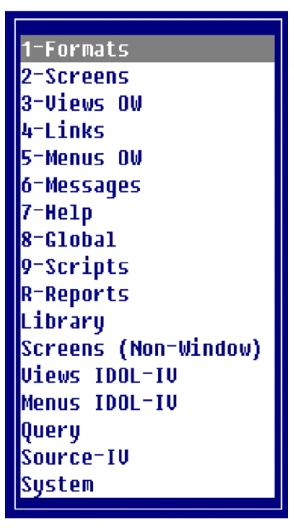
At the pop-up menu select R-Reports.
Enter the Query Name into the REPORT name field. The query is automatically converted into a report at this point, provided a report with this name does not already exist. The query description is displayed as the description for the report, and the report width is automatically calculated from the query.
Display the report definition. Use the cursor control keys to bypass the fields in the report definition header by pressing the Enter key until the report definition is displayed. Standard maintenance can now be performed on the report definition.
From the Report-IV Reference, version 8.9.1. Open this page in the PDF