

Dictionary Update
This utility updates the contents of the System Dictionary file (IDDBD). These lists maintain Library, Format, Screen, View, Link, Menu, Message, Help Script, Query names, and Report names. This utility has an option to process bad records.
This utility should be used if libraries or other elements that you have created do not appear in the listings and cannot be located or accessed. This utility can also be used in conjunction with the System Dictionary Report to resolve these problems.

Select Dictionary Update from the Dictionary-IV Utilities Menu. The system prompts:
Cleanup dictionary definitions?
Select one of the following:
Y Removes bad records. Bad records are defined as detail records that do not have an associated header record or detail records that do not match header records. The system moves to the next prompt.
N Does not remove bad records. Skips next prompt.
The system prompts:
Approve before cleanup of definitions?
Select one of the following:
Y Allows you to select the records to remove.
N Removal of all bad records is automatic.
The system prompts:
Is the displayed information correct?
Select one of the following:
Y Approves the entries.
N Allows you to change the information.
You will be asked to select the printer if more than one is configured.
Select Printer (LP): LP__________ Type the name of the printer you wish to use and press Enter.
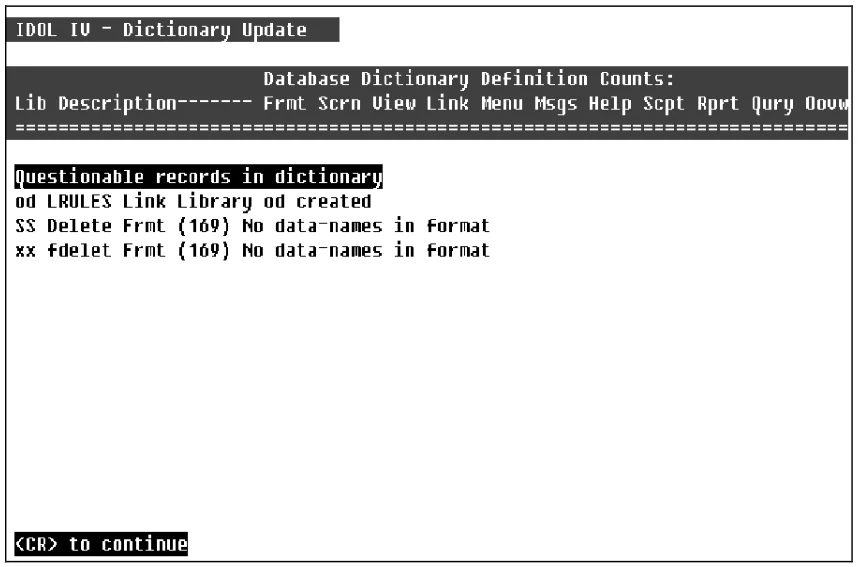
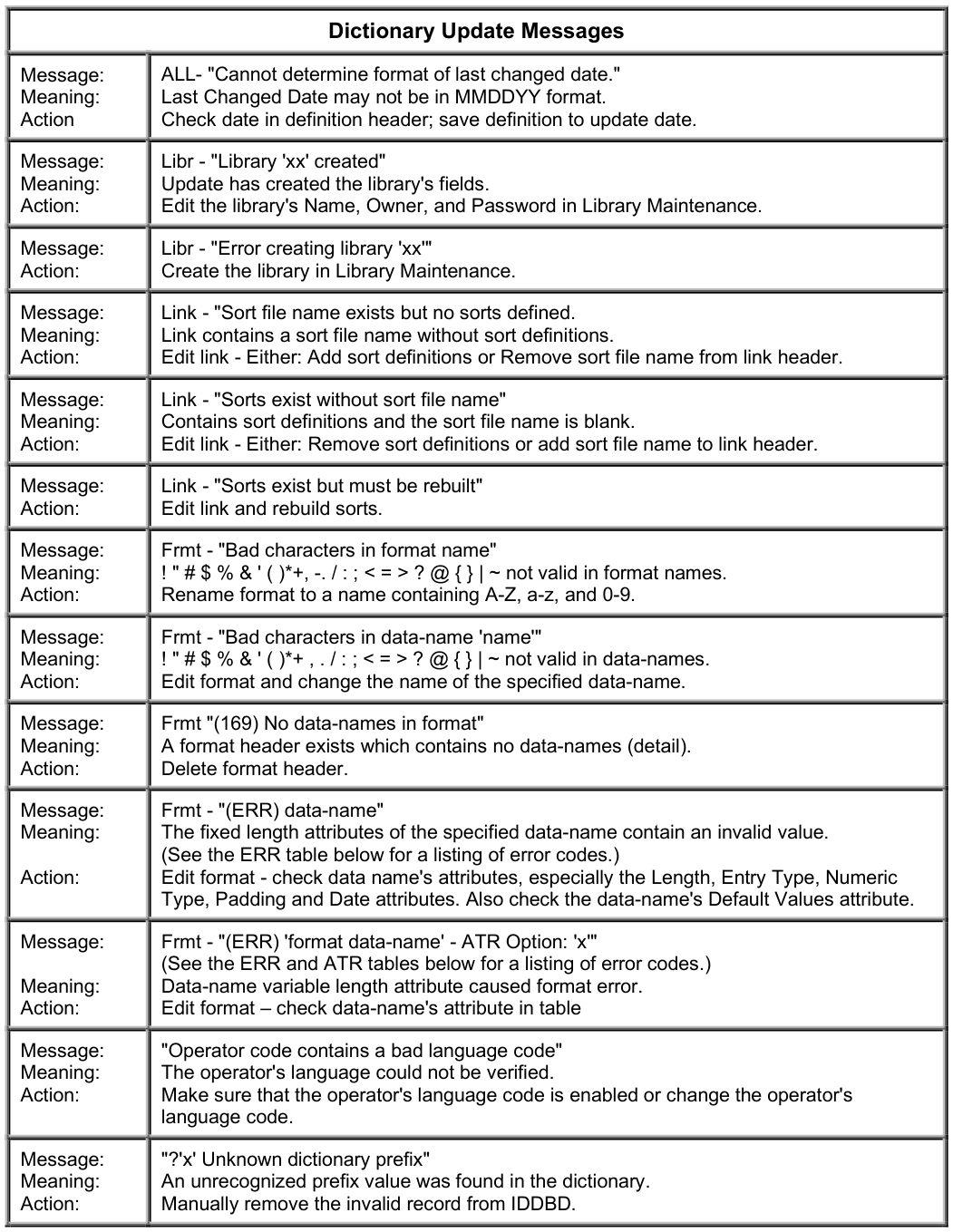
During the dictionary update processing, if a bad record is found, the library name, definition name, and definition type displays on the screen under the heading Questionable records in dictionary. If you select approval of the deletion, the system prompts:
Are you sure you want to delete?
Select one of the following:
Y Deletes bad records.
N Does not delete bad records.
When the update is complete, the system displays a report similar to the following:
Dictionary Update Report - Sample
From the Dictionary-IV Administrator Guide, version 8.9.1. Open this page in the PDF