

Dictionary-IV XSchema Definitions
The XSchema Dictionary-IV definition class is used to define complex relational data mapping across multiple links.
SYNTAX
link-name USING KEY “value”;| USING RANGE FROM “value” TO “value”; [BY SORT sort-number;][DATANAME LIST data-name data-name data-name. . .;]
[data-name, . . .;]
[SELECT WHEN select-clause]link-name USING KEY “value”;| USING RANGE FROM “value” TO “value”; [BY SORT sort number;][DATANAME LIST data-name data-name data-name . . .;]
[SELECT WHEN select-clause]link-name | Dictionary-IV Link definition name. |
value | the key value or a key range values for reading the Link. USING KEY and USING RANGE are mutually exclusive. |
sort-number | Link sort number to be used when reading with a sort other than SORT 0. |
data-name | any data-name defined by the Format. |
select-clause | Thoroughbred SELECT WHEN clause. |
NOTES
- Spaces are required syntax.
- Each clause must be terminated with a semi-colon (;).
- Keys containing spaces and other special characters must be wrapped in quotes.
- The Links are read in the order defined by the XSchema. This order defines the relationship between data across multiple Link definitions.
- The primary (first) USING clause must specify a literal key value. At the time an XML request is posted, override values for the USING clause can be supplied. For more information on override values, see the XML XSchema Request Overview section later in this document.
- A secondary USING clause can reference #Format.data-names from previously read Links.
- The DATANAME LIST specifies one or more data-names from the Format definition associated with the Link. For example, CUST-CODE CUST-NAME CUST-STATE. Only those data elements included in the DATANAME LIST are returned in XML format.
- The SELECT WHEN conditional expression may contain any relational operators supported by the Thoroughbred SELECT WHEN clause. For more information on SELECT WHEN see OPENworkshop online reference manuals.
- The SELECT clause does not support Link data-names; Format data-names must be supplied.
EXAMPLES
Schema: OEFSCM01 Sample System
OELCUST USING KEY “100100”;
DATANAME LIST
CUST-CODE CUST-NAME CUST-STATE CUST-CITY CUST-PHONE SR-CODE
Schema: OEFSCM02 Sample System
OELCUST USING KEY “100100”;
DATANAME LIST CUST-CODE CUST-NAME CUST-STATE CUST-CITY CUST-PHONE SR-CODE
OELSLRP USING #OEFCUST.SR-CODE; DATANAME LIST SR-NAME
OELINVH USING #OEFCUST.CUST-CODE;
BY SORT 1;
DATANAME LIST INV-NUM INV-DATE INV-PRINTED-FLAG INV-AMOUNT
OELINVD USING #OEFINVH.INV-NUM;
DATANAME LIST INV-LNUM INV-QTY INV-LTAX INV-LEXTEN ITEM-CODE
INV-LPRICE INV-DISC;
SELECT WHEN #OEFINVD.ITEM-CODE = “10-100-000”
OELINVN USING #OEFINVD.ITEM-CODE;
DATANAME LIST ITEM-DESC
Schema: OEFSCM03 Sample System
OELCUST USING RANGE FROM “000000” TO “999999”;
DATANAME LIST CUST-CODE SR-CODE CUST-NAME CUST-STATE
CUST-CITY CUST-PHONE;
SELECT WHEN #OEFCUST.SR-CODE = “HP”
Creating and Maintaining XSchema Definitions
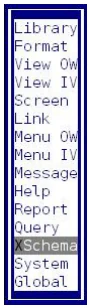
Section titled “Creating and Maintaining XSchema Definitions”From the Dictionary-IV Maintenance Menu select the XSchema option.
The XSchema Definition View will be displayed.
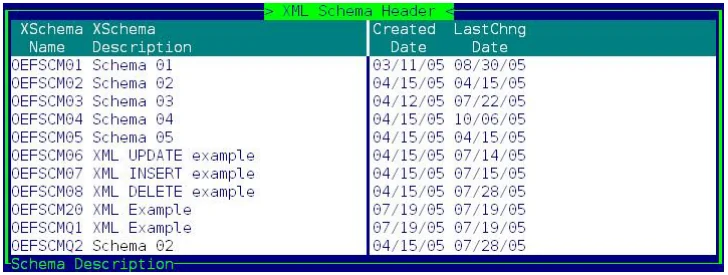
Follow standard Dictionary-IV maintenance procedures for adding, deleting, modifying, renaming, and copying XSchema definitions.
XSchema Editor
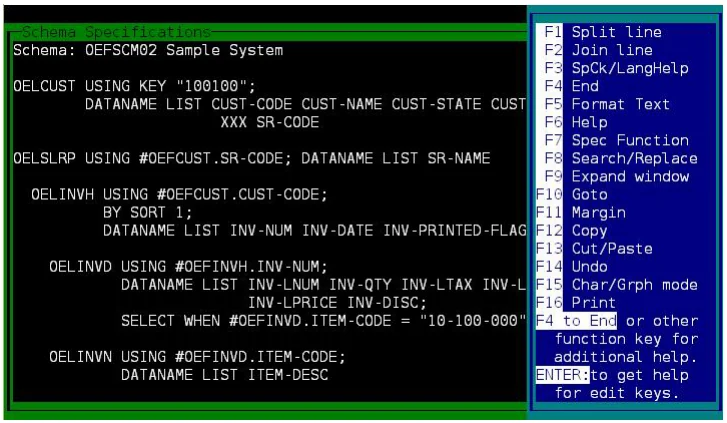
Section titled “XSchema Editor”The XSchema definition is displayed in a standard Thoroughbred text editor window. Use standard editing keys to maintain the XSchema definition.
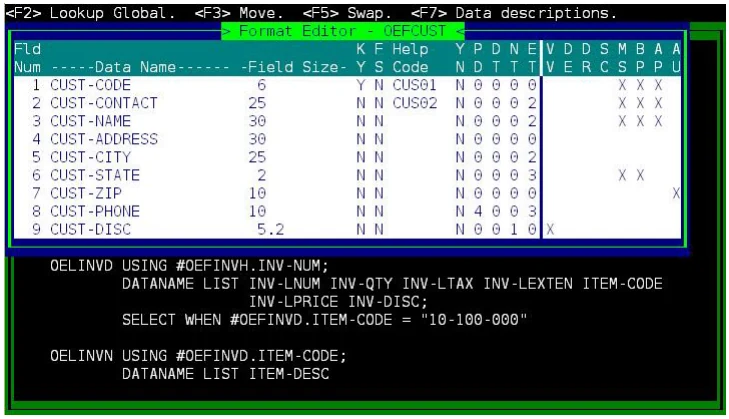
F3 – To display Format definition details position the cursor over a #Format-name and press F3. If the cursor is not positioned over the #Format-name F3 will display standard language help.
When the XSchema definition is saved it is compiled and is ready to be used with XML requests.
From the TS XML DataServer Reference, version 8.9.1. Open this page in the PDF