

Activation
From the Start menu, select the Thoroughbred Software program group. Select TS DataServer for MS SQL Server Activation. The following screen will display:
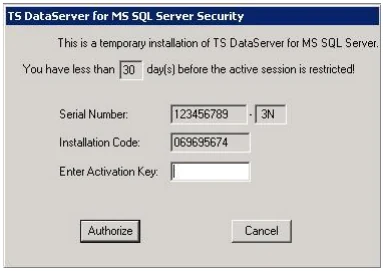
Before you contact Thoroughbred Software International make sure you have the following information handy.
- Your Dealer Code.
- The software serial number, which is found on the label on the distribution media or on the displayed Activation screen.
- The Installation Code, which is also displayed on the Activation screen.
To get an Activation Key you can:
- Call Thoroughbred Software International at (800) 524-0430 or (732) 560-1377 and ask for the Activation Desk.
- Visit our web page, www.tbred.com, and select the Activations option.
After Thoroughbred Software International provides the Activation Key, you must enter the value using the following procedure.
Enter the Key in the Enter Activation Key field and click the Authorize button.
Following a successful activation, the system responds with this screen:
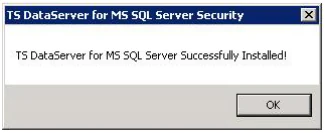
Click OK. The server is now activated.
If an invalid Activation key is entered, the following screen will display:
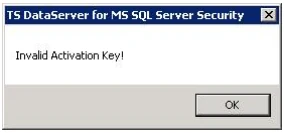
Click OK. The system will return to the main Activation window.
To verify that the server is activated, execute the Server Activation program. The following screen will display:
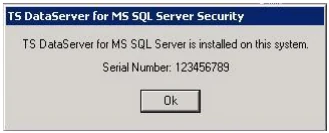
Click OK to close the window.
Now the service can be started. From the Start Menu, select Control Panel → Administrative Tools → Services. Locate the TS DataServer for MS SQL Server Manager service. Click the Start button. A Service Control dialog will display while the system starts the service. Once started, the status field will be changed to “Started”.
Server access is enabled by the addition of a number of configuration items. For more information see SERVER.MAP and IPLINPUT.
From the TS DataServer for MS SQL Server, version 8.9.1. Open this page in the PDF