

Operator Listing
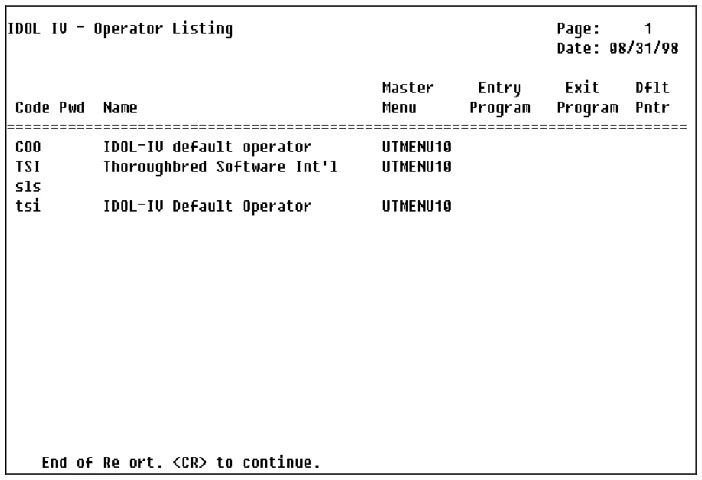
This utility displays or prints a listing of operators and operator information (see the Operator Information Utility).
This is a protected utility. If security is active, access to this utility is allowed only to those individuals with knowledge of the system password.
Select Operator Listing from the Dictionary-IV Utilities Menu. If security is active, you will need to enter the system password in order to list the operator codes and passwords.
The system prompts:
Do you want a printed copy?
Select one of the following:
Y Prints a copy of the listing.
N Displays the listing on the screen.
If you select a printed output, you will also be asked to select the printer if there is more than one configured.
Select Printer (LP): LP__________
Type the name of the printer you wish to use and press Enter. The utility proceeds automatically.
The system prints a report similar to the following:
Sample Operator Listing
From the Dictionary-IV Administrator Guide, version 8.9.1. Open this page in the PDF