

Connect Autologon
Autologons are created using the WorkStation Manager, AutoLogons tab. For more information on creating an autologon, please refer to the WorkStation Manager manual.
From the TbredComm menu bar select the Connect menu and then select Connect - Autologon. The following screen appears.
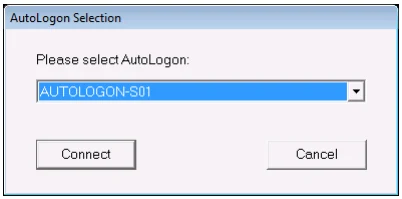
From the AutoLogon Selection dialog select an autologon.
Connect
Select the Connect button to make a connection.
Cancel
Select the Cancel button to exit the autologon.
From the TbredComm Reference, version 8.9.1. Open this page in the PDF