

Set Developer/User
This option sets the internal flag that defines the operator as a developer or user, enabling and disabling certain system functions.
Once development is complete, this access should be disabled.
Select Set Developer/User from the System Administration options the system displays the following:
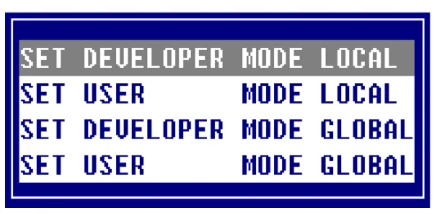
Selecting LOCAL options will only apply to the current user. Selecting GLOBAL options will update a system control parameter that will apply to all users the next time they log in.
If Developer Mode is selected the following function keys are available:
F1 Edit Screens, Menus, and Help.
F8 Move Screens, Menus, and Help.
From the Dictionary-IV Administrator Guide, version 8.9.1. Open this page in the PDF