

Enable the Graphic Presentation
VIP can be enabled in one of several ways.
-
To enable VIP from the main OPENworkshop menu:
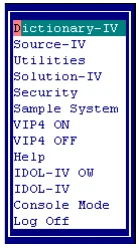
Select VIP ON to enable VIP. It will remain enabled until the option VIP OFF is selected.
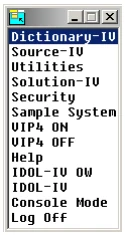
The VIP ON and VIP OFF options that are available from the main OPENworkshop menu (OOM0) cannot be added to another OPENworkshop menu. These selections are processed by the OPENworkshop start up program OO.
-
To enable VIP at any point after an OPENworkshop or Dictionary-IV login call VIPCNT with MSG$[1]=”GON”. For example:
Dim MSG$[1];MSG$[1]=”GON”;CALL “VIPCNT”,MSG$[ALL]-
To enable VIP prior to the OPENworkshop and Dictionary-IV login modify the IPLINPUT file to run a custom OPENworkshop or Dictionary-IV start up program. This program must set the global variable “VIPSTART” to either “ID” or “OO” and then RUN “VIPSTART”. The program “VIPSTART” will enable VIP and then run the program specified in the CGV “VIPSTART”. When specifying. “ID” the Thoroughbred copyright screen will be skipped and the operator code will be collected with VIP enabled.
Example:
LET V$=CGV(“VIPSTART”,”ID”);RUN “VIPSTART”OrLET V$=CGV(“VIPSTART”,”OO”);RUN “VIPSTART”
-
-
To execute a host application menu selection from the Desktop, Start Button or from the WorkStation Manager, see Desktop Application Menus later in this manual.
From the VIP for Dictionary-IV Reference, version 8.9.1. Open this page in the PDF