

Rebuild Link Sorts
This utility invokes a menu that will allow you to:
- Rebuild sorts for a library or range of links.
- Display the Sort Rebuild Log.
- Print the Sort Rebuild Log Report.
Select Rebuild Link Sorts from the Supplemental Utilities Menu. The system displays the following pop-up menu:
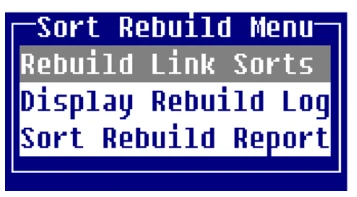
Rebuild Link Sorts
Section titled “Rebuild Link Sorts”This option rebuilds sorts for a range of links within a library using a mask. You may also specify a list of FILE-SUFFIX values to be processed.
This option rebuilds sorts for a range of links within a library using a mask. You may also specify a list of FILE-SUFFIX values to be processed.
The system displays the following:
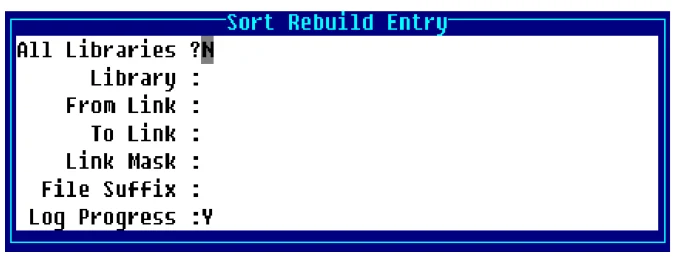
All Libraries?
Select one of the following:
Y Rebuilds sorts for all libraries. The cursor is positioned at the File Suffix field.
N Positions the cursor at the Library field.
The default is N.
Library:
Type the 2 alphanumeric character library name or press F2 for a lookup of library names.
From Link:
Type up to 6 alphanumeric characters for the first Link to be processed. Press Enter for the first Link in the library.
To Link:
Type up to 6 alphanumeric characters for the last Link to be processed. Press Enter for the last Link in the library.
Link Mask:
Type the optional Link Mask. Press Enter to select None.
File-Suffix:
Type the optional list of FILE-SUFFIX values to process. Separate multiple entries with a comma. For example: DEM,TSI,ABC.
Log Progress:
Select one of the following:
Y All Links processed are recorded in the log file.
N The log file is not used.
E A log entry is made only when errors occur during processing.
The system defaults to Y.
The system prompts:
Continue?
Select one of the following:
Y Rebuilds the sorts as defined. If you selected Y or E in the Log Progress field, the system displays the Rebuild Log or the Error Log.
N Does not rebuild the sorts. You may make corrections or press F4 to exit.
Display Rebuild Log
Section titled “Display Rebuild Log”This option displays the Sort Rebuild Log on the terminal. Process start and end times and all user-supplied options display.
Each line contains the results for each link processed. The time values are accurate to within nine seconds.
Sort Rebuild Report
Section titled “Sort Rebuild Report”This option prints a hard copy of the Rebuild Log.
Rebuild Log Messages
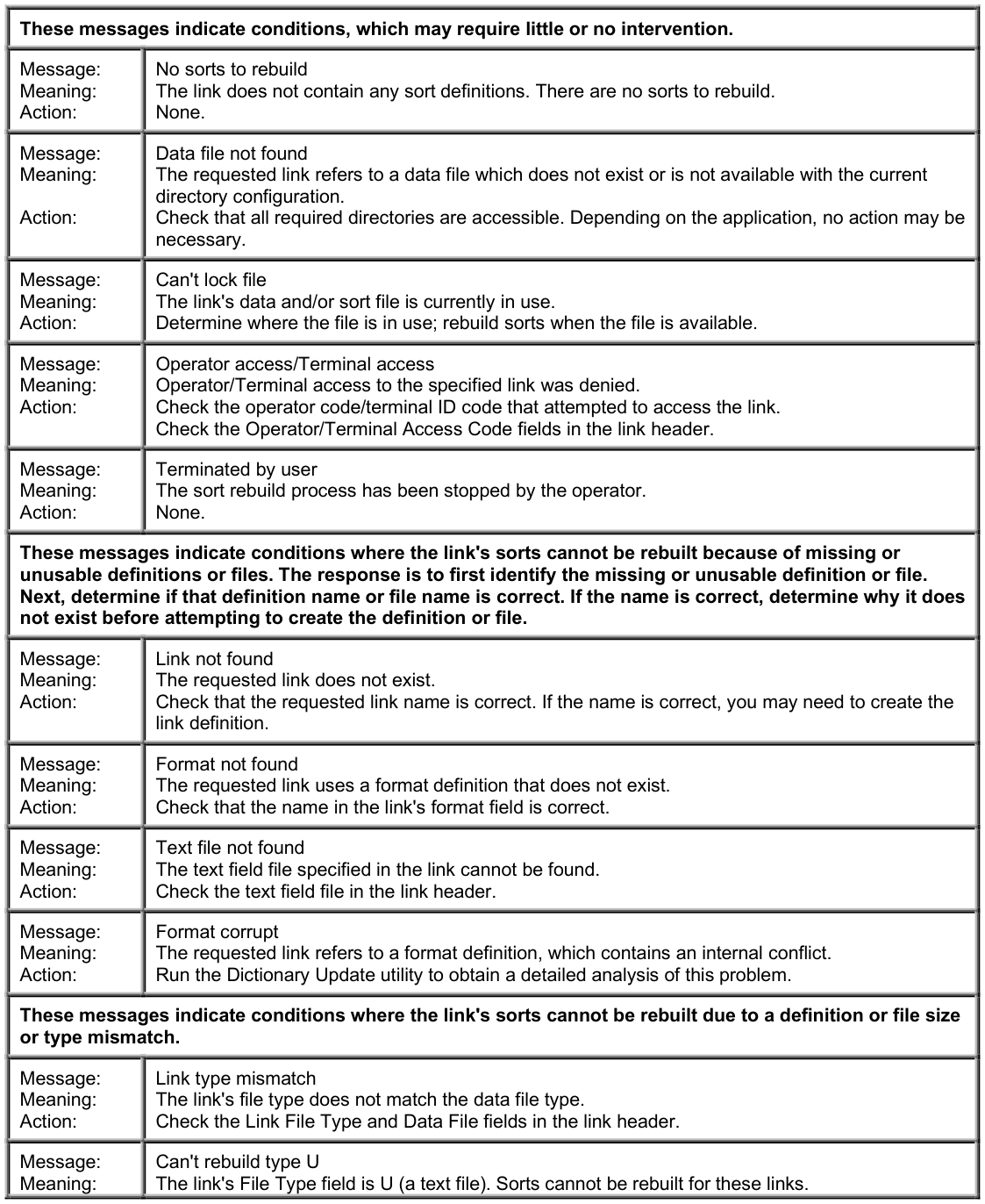
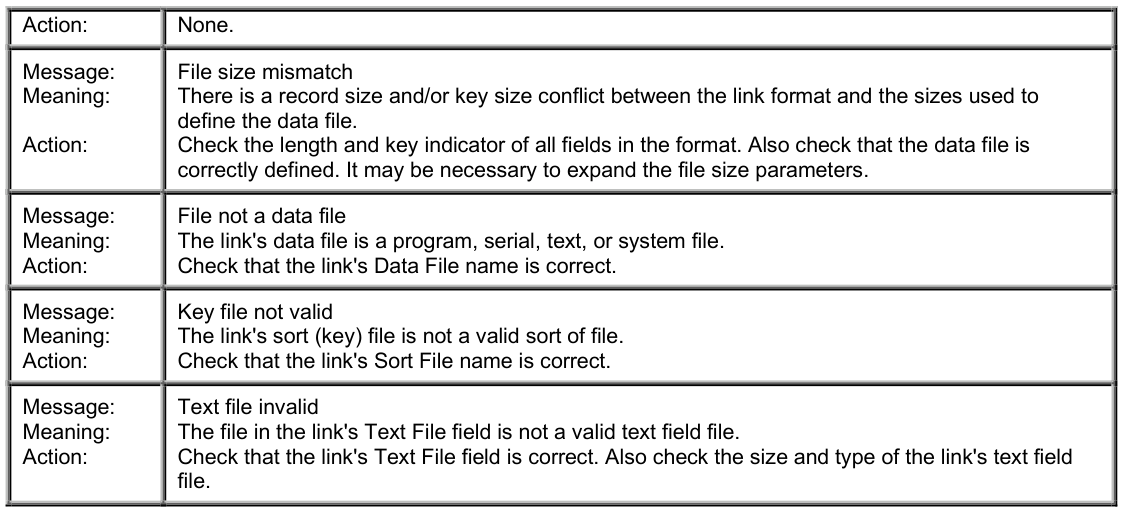
Section titled “Rebuild Log Messages”To properly use the Sort Rebuild Log, the status code for each link should be carefully reviewed.
Many status messages are not significant. Links often exist in an application, which either has no sorts or requires script programming to access the data file.
In some cases however, the Sort Rebuild Log exposes links using old or deleted formats or data files.
Following is a list of Rebuild Log Messages:
From the Dictionary-IV Administrator Guide, version 8.9.1. Open this page in the PDF