

Installation Check
The utility automatically searches all enabled disk directories in the environment and attempts to locate and verify the integrity of all Dictionary-IV programs. If Dictionary-IV is not operating properly, it is necessary to verify that all programs are present and intact. Such problems may cause operational difficulties.
Be sure that all disk directories (or only those that are applicable) are initialized. This is done through Thoroughbred Basic. For more information, see the Thoroughbred Basic Utilities Manual.
Select Installation Check from the Dictionary-IV Utilities Menu. When selected, the utility proceeds automatically to completion without any further operator input. When complete, the system displays a screen similar to the following:
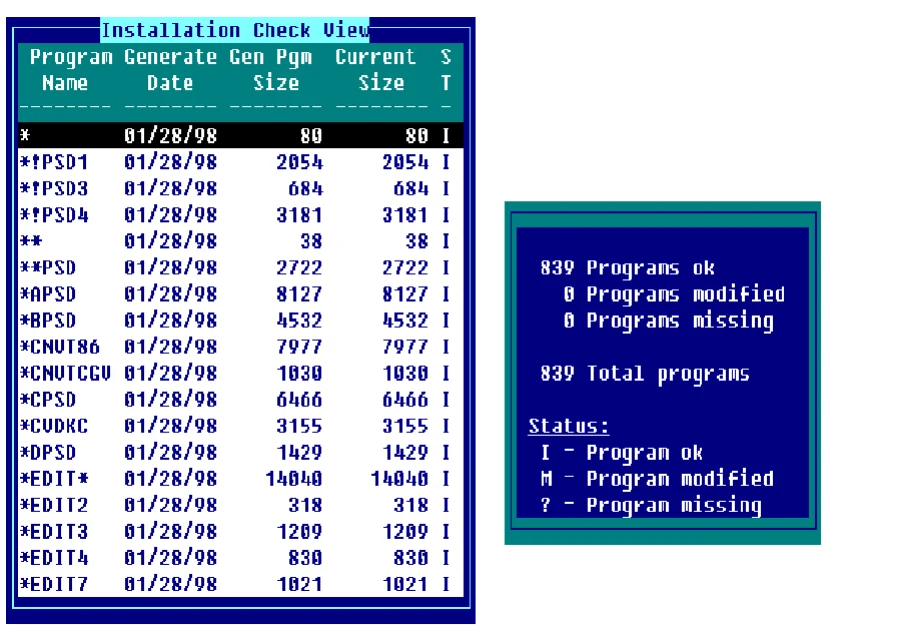
You can use the Up/Down Arrow keys to view the status of a particular program.
Values in the status field are as follows:
I Present and intact
M Present but modified
? Missing
If programs are missing you will need to re-install the software to replace the programs. When modified programs are detected, you should re-install the software only if unresolved operational problems have been encountered.
From the Dictionary-IV Administrator Guide, version 8.9.1. Open this page in the PDF