

Basic PRMs
Basic PRMs tell Thoroughbred Basic how to interpret certain situations and how to change its interface with the operating system.
Select BASIC PRMs from the System Administration options. This option allows you to turn on or turn off the following Basic PRMs:
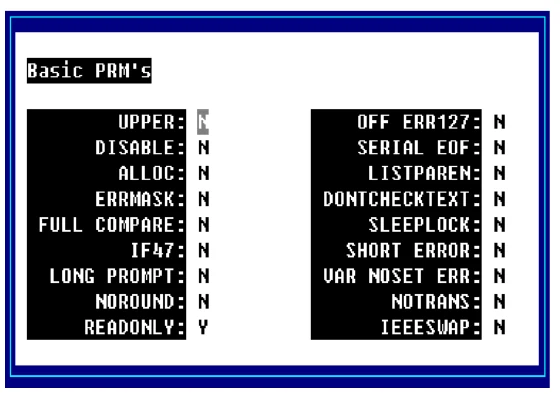
Use the Up Arrow and Down Arrow to select a PRM. Press the Enter key to turn the selected PRMs on or off.
For more information about PRMs see the Thoroughbred Basic Reference Manual or move to the desired entry and press F6 to view on-line help for that PRM.
From the Dictionary-IV Administrator Guide, version 8.9.1. Open this page in the PDF