

Operator Stats Report
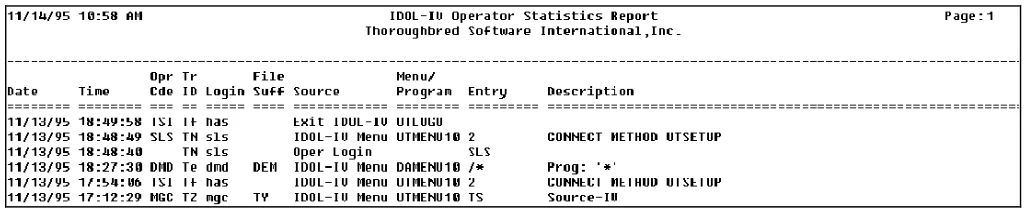
This option traces menu activity for all operators. The report is sorted by date and time. Statistics are recorded when you select Y at the Operator Statistics field in Installation Information.
Select Operator Stats Report from the System Administration options.
When you select this option, the system prompts:
Do you want a printed copy?
Select one of the following:
Y Prints a copy of the report.
N Displays the report on the screen.
If you select a printed output, you will also be asked to select the printer if there is more than one configured.
Select Printer (LP): LP__________
If the statistics database does not exist, the system prompts:
Cannot locate file IDDSTAT.
The system automatically creates the database when recording begins.
The system prompts:
Merge Error Log Information?
Select one of the following:
Y Views error log information with the operator statistics.
N Views only operator statistics.
The system prints a report similar to the following:
From the Dictionary-IV Administrator Guide, version 8.9.1. Open this page in the PDF