

WorkStation Manager tab
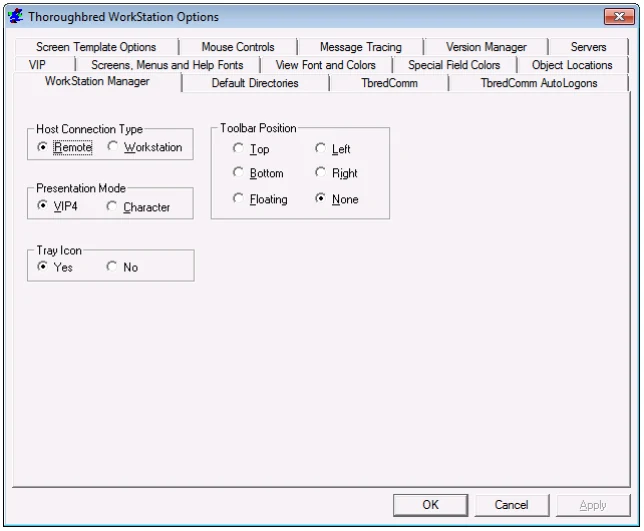
Host Connection (can be set here or from the WorkStation Manager icon)
Defines the host type as Remote or Workstation. For more information see TbredComm.
Presentation Mode (can be set here or from the WorkStation Manager icon)
Defines your Desktop Application Menu selections as running in graphic mode (VIP) for a GUI display or character mode (Character). See the VIP for Dictionary-IV for more information on Desktop Application Menus.
Tray Icon
Yes displays the WorkStation Manager icon in the system tray. No keeps the
WorkStation Manager icon from displaying in the system tray. With the Tray Icon hidden it is not possible to access the WorkStation Manager options. To enable the Tray Icon open vip-system-path\Tbred.ini in Notepad.exe. In the [TWMGR] section set tryicon=YES and save the file.
Toolbar Position Controls the location of the floating toolbar by selecting Top, or Bottom and Left or Right. Floating allows you to move the toolbar to any position. None hides the toolbar.
From the WorkStation Manager, version 8.9.1. Open this page in the PDF