

Backup/Restore Parameters
This option allows you to configure the devices to be used for backup restore archive functions.
Select Backup/Restore Parameters from the System Administration options. The system displays the following:

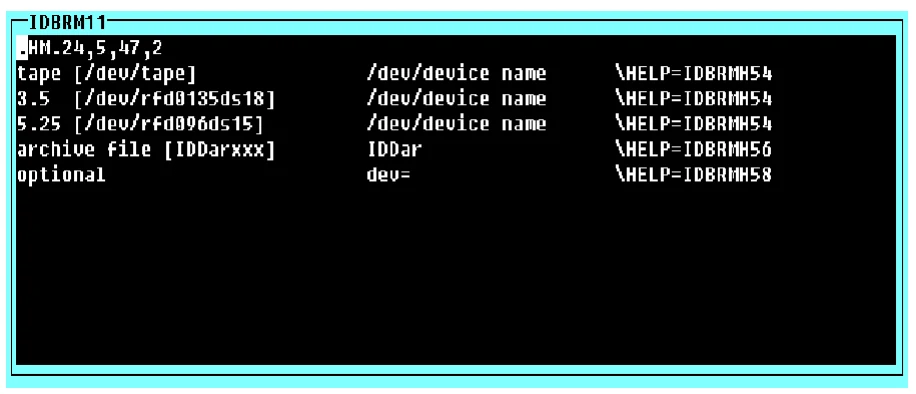
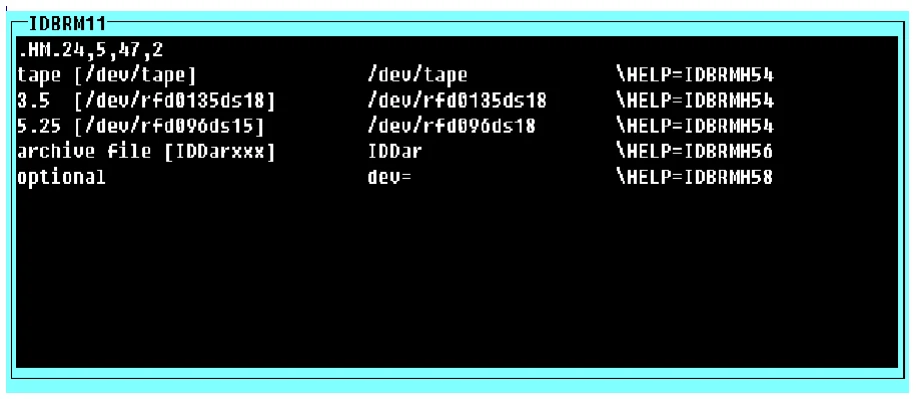
Device Name The device names used by the backup/restore utility are defined in the pop-up menu IDBRM11. When the Dictionary-IV product is shipped, this menu contains /dev/device-name as the device name. Replace this with the appropriate device name for your site.
The device name appears both in the menu body (text) and again as the actual selection value. Device names can be added or deleted.
You are editing a pop-up menu. The device names IDDar (archive file) and dev= (optional device name) should not be altered. They may, however, be deleted.
To edit IDBRM11, select the Backup/Restore Parameters option from the System Administration
menu, then select Device Names. The system displays the following pop-up menu:
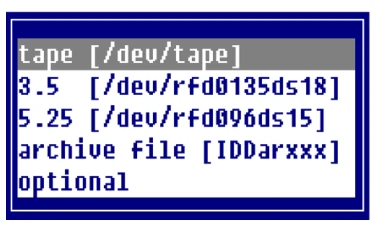
Press F1 to select the edit mode. The standard editing keys are available.
IDBRM11 as shipped:
IDBRM11 after edits:
Commands
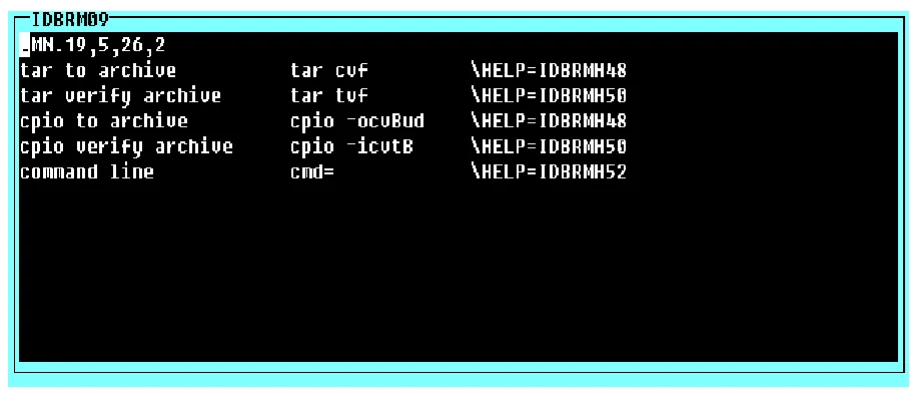
The commands used by the backup/restore utility are defined in the pop-up menu IDBRM09.
You are editing a pop-up menu. The command cmd= (command line) should not be altered. It may however, be deleted.
To edit IDBRM09, select the Backup/Restore Parameters option from the System Administration Menu, then select Commands. The system displays the following pop-up menu:
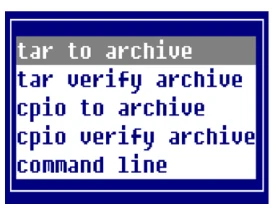
Press F1 to select the edit mode. The standard editing keys are available.
IDBRM09 as shipped:
From the Dictionary-IV Administrator Guide, version 8.9.1. Open this page in the PDF