

Settings and Options
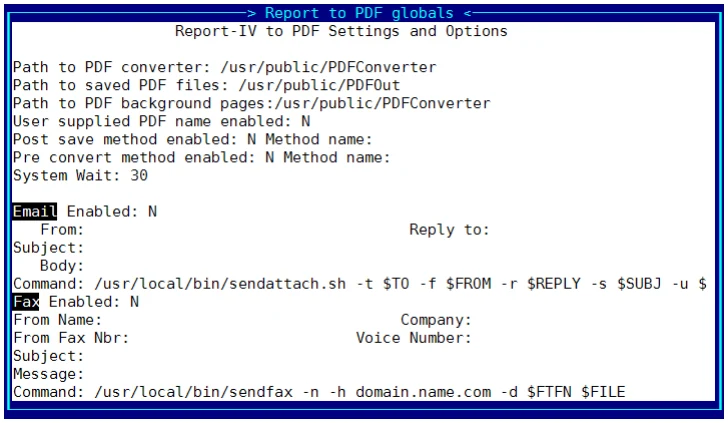
The Settings and Options screen is displayed automatically by the installation process or can be accessed at any time from the main OPENworkshop menu. Select Utilities, select Report-IV to PDF Utilities, then select Settings and Options.
Before running Report-IV to PDF you must configure the global Settings and Options. The Settings and Options contain specifications that enable Report-IV to PDF to manage the conversion process.
Select Settings and Options and the following screen will display:
From the Report-IV to PDF Installation and User Guide, version 8.9.1. Open this page in the PDF